

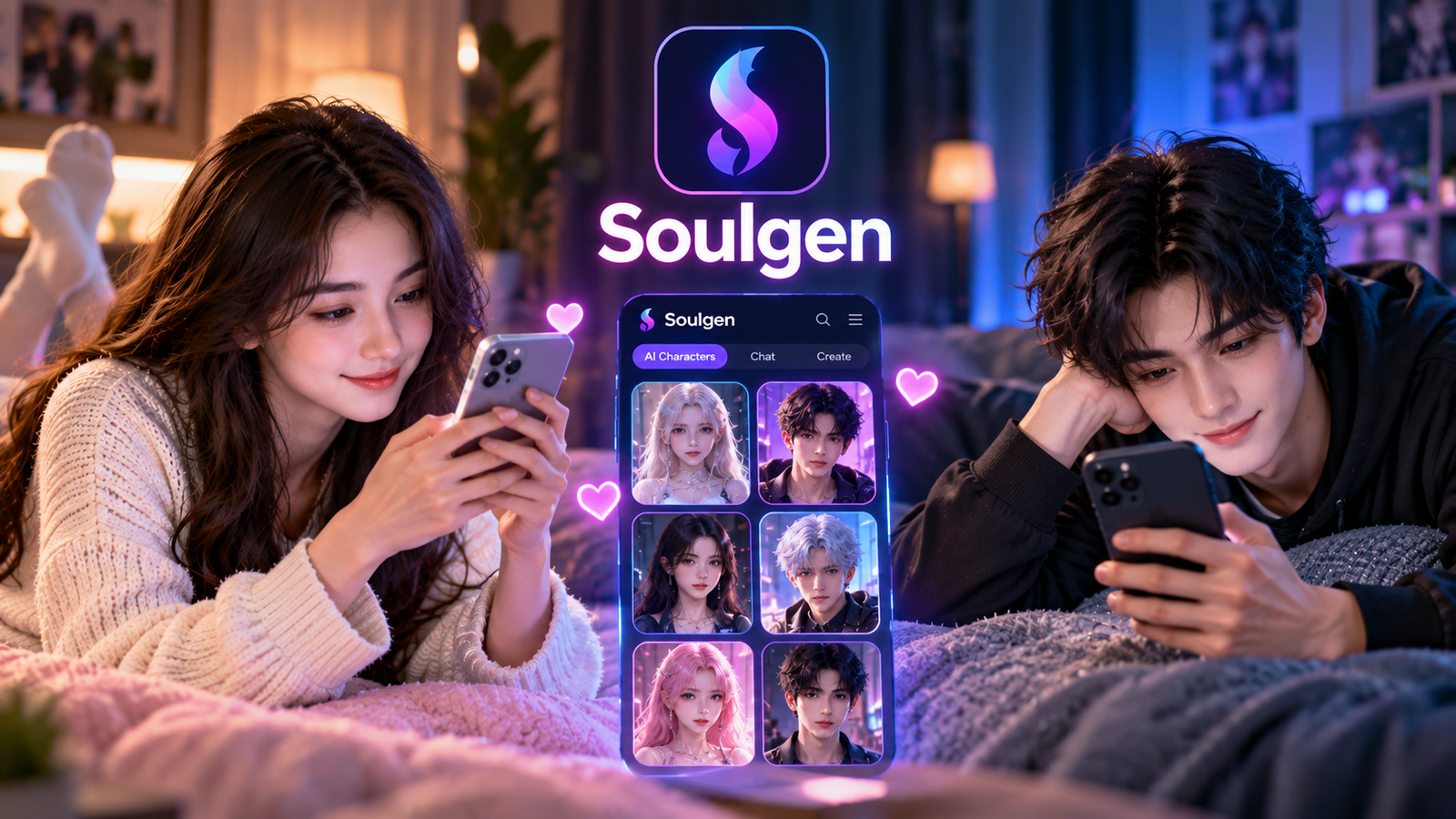
SoulGen: AI Image Generator Guide, Features and Uses

SoulGen is an AI-powered image and video generation platform designed to turn written ideas into visual content. Users can describe a character, scene, appearance, or mood and let the platform create an image from that prompt. It supports both realistic and anime-style creations, making it useful for different creative projects. SoulGen also provides image editing, outpainting, reference-based creation, and AI video tools. The platform is designed to make visual creation accessible without requiring professional design skills. Its simple approach makes it useful for beginners who want to experiment with AI-generated artwork and character designs without learning complicated design software.
The platform mainly focuses on character-based visual creation rather than being a general-purpose design suite. You can create an image, make changes with text instructions, expand the scene, or turn still images into short videos. This makes SoulGen interesting for beginners who want a simple creative workflow. However, results can vary depending on the prompt, reference image, and selected generation mode. Understanding its main tools, credit system, and limitations can help you decide whether it fits your creative needs. A clear understanding of these features can also help users get better results from each generation.
How Does SoulGen Work?
SoulGen uses a simple text-to-image workflow. You start by describing what you want to create using natural language. Your prompt can include details such as appearance, clothing, hairstyle, setting, lighting, mood, pose, and artistic style. The system then processes those instructions and produces an AI-generated image. You can refine the result by changing your description or using available editing features. This approach means beginners do not need advanced graphic design knowledge. For better results, describe the most important features first and avoid adding too many conflicting instructions in the same prompt.
The platform also supports reference-based creation, which gives users another way to guide results. Instead of relying only on written instructions, users can provide an image reference when the feature is available. This can help guide character appearance and visual details. However, AI-generated results are not guaranteed to match every reference detail perfectly. For better results, use clear prompts and describe the most important visual features first. If the first result is not suitable, adjust specific details instead of completely changing the prompt. This gradual approach makes experimentation easier and more effective.
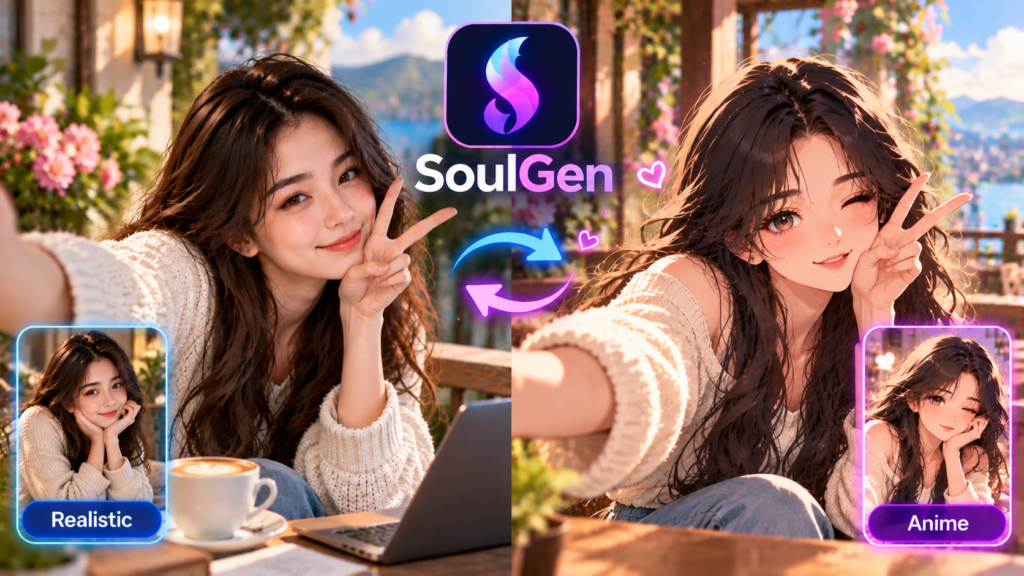
SoulGen Realistic and Anime Generation
One of SoulGen’s main attractions is its support for different character styles. The platform offers realistic image generation alongside anime-focused creation. Realistic generation can be useful when you want portraits or character scenes with photographic qualities. Anime generation is better suited to illustrated characters, fictional personalities, and stylized artwork. Having multiple visual styles allows users to explore different creative directions without switching between several AI platforms. The final appearance depends on the prompt, selected settings, and generation model used for the creation.
Choosing the right style depends on the visual result you want. A realistic prompt should describe details such as lighting, camera perspective, background, clothing, and atmosphere. An anime prompt can focus more on character design, colors, expressions, clothing, and artistic details. Simple prompts often work well for beginners because they are easier to understand and adjust. If your first result is not close to your idea, change one or two details at a time. This makes it easier to identify which instructions improve the final image and which ones create unwanted changes.
SoulGen AI Image Editing and Outpainting
SoulGen is not limited to creating images from scratch. Its editing tools allow users to change existing images through text-based instructions. Users can potentially add, remove, or transform elements in an image without rebuilding the entire creation. This can be helpful when the main image looks good but one particular detail needs improvement. Instead of starting over, you can make targeted changes and continue developing the same visual concept. This approach can save time when creating several versions of the same character or scene.
Outpainting is another useful feature for expanding an existing composition. It can extend an image beyond its original borders and add elements such as backgrounds or additional visual space. For example, a portrait can potentially be expanded into a wider scene for a banner or social media graphic. These tools can make the creative process more flexible. However, complex edits may still produce unexpected details. Always review the complete image after editing, especially when the result will be used publicly, commercially, or in professional content.
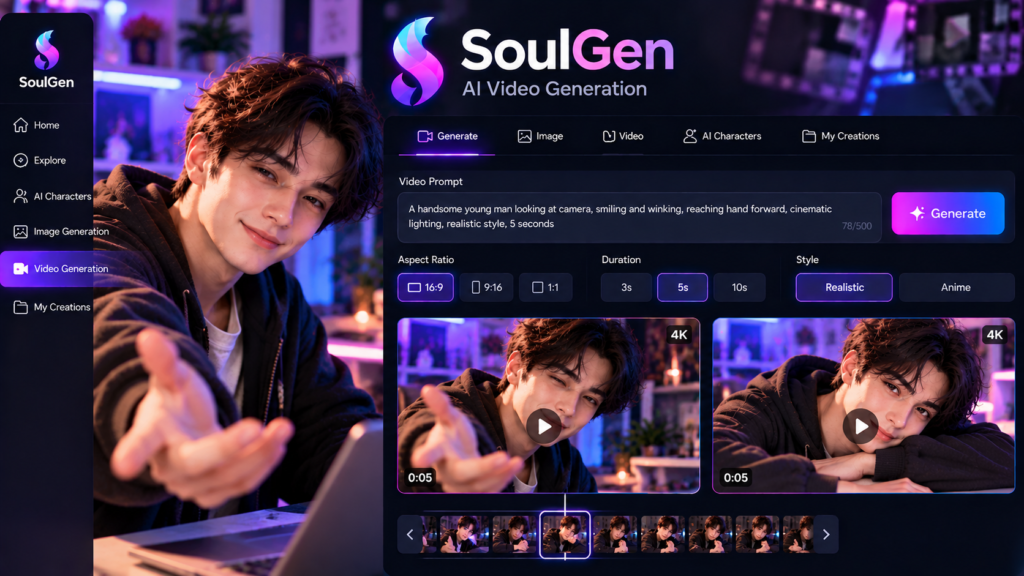
SoulGen AI Video Generation
SoulGen has expanded beyond still images with AI video generation. Its video tools can turn images or text ideas into dynamic visual content. Depending on the available generation option, users may create motion, sound, or talking-character effects. This gives creators another way to use characters and artwork they have already developed. Instead of keeping an image static, users can experiment with short animated clips and different storytelling ideas. Video generation can therefore extend the usefulness of an existing AI-generated character.
Video creation can also consume credits, and the amount required may depend on factors such as duration, resolution, model, and audio settings. Users should therefore check the current credit requirements before generating many clips. This is especially important for people creating videos regularly. A practical approach is to test short clips first and review the results before producing longer versions. This can reduce unnecessary credit use and help users understand how the selected model handles movement, characters, backgrounds, and other visual elements.
SoulGen Credit System Explained
SoulGen uses credits for many of its advanced features. Image generation, video creation, editing, character features, and other functions can require different amounts of credits. Some video options may charge credits according to duration, while image and editing tools can have their own requirements. Because credit costs can change with different models and features, users should always check the current pricing information inside the platform before starting a large project.
The credit system is important for anyone planning regular AI content creation. A user who creates occasional images may not need many credits, while someone producing numerous images or videos can use credits much faster. Before subscribing, consider how frequently you plan to use the platform and which features you need most. It is also useful to test the service first, where possible, so you can understand the generation quality and credit usage before committing to a larger workflow.
| Feature | Typical Credit Use |
|---|---|
| AI Character | From 1 credit per image |
| Human Modeling | Around 3 credits per image |
| Smart Edit | From 3 credits per image |
| Soul Chat Text | Around 0.2 credits per message |
| Soul Chat Image | Around 2 credits per image |
| Video | Depends on model and duration |
Credit requirements can vary between features and models. Therefore, treat these figures as general guidance rather than fixed prices. Checking the current pricing information before generating multiple images or videos is the safest approach.
SoulGen Features for Creative Projects
SoulGen can support several types of personal and creative projects. Character designers can use it to explore visual concepts before developing them further. Writers can create reference images for fictional characters, while content creators can experiment with portraits, scenes, and short videos. The editing and outpainting tools can also help adapt an existing creation for different layouts. These features make the platform more flexible than a basic text-to-image generator.
However, it is important to understand what AI-generated content can and cannot guarantee. Generated images may contain visual errors, inconsistent details, or unexpected changes between versions. Reference-based tools can improve control, but they do not always produce identical results. Users should also respect privacy, copyright, consent, and platform rules when uploading reference images. For broader AI creativity ideas, readers can also explore our AI image generators guide and AI video tools guide for more information about related technologies.
Is SoulGen Easy for Beginners?
SoulGen is designed around a relatively straightforward creative workflow. A beginner can start with a short description instead of learning complicated software controls. The basic process is simple: describe an idea, select an appropriate generation mode, create an image, and refine the result. This makes the platform approachable for users who have little experience with AI image generation. Beginners can experiment with different prompts and gradually learn which descriptions produce better visual results.
Good prompting can still make a major difference. Instead of writing a vague instruction, describe the subject, setting, style, lighting, mood, and important details. Keep the first prompt focused, then improve it gradually. For example, start with “anime character in a modern city at sunset” before adding clothing, camera angle, colors, and background. This step-by-step method makes it easier to understand which instructions affect the final image. It also helps users avoid overly complicated prompts that can create inconsistent results.
SoulGen Advantages and Limitations
SoulGen combines several creative tools in one platform, including image generation, editing, outpainting, character creation, and video generation. Its support for realistic and anime styles also gives users flexibility. Instead of using one tool for images and another for simple character videos, users can explore several related features within one creative environment. This can make the workflow more convenient for people who regularly create character-based content.
There are also practical limitations to consider. Advanced features can consume credits quickly, particularly when generating videos or using higher-cost models. AI images can contain mistakes, and character consistency may vary between generations. Results can also differ depending on the prompt and selected model. Users should therefore test the platform before building a large production workflow around it. Careful review is especially important when generated content is intended for public websites, social media, advertising, or commercial projects.
SoulGen vs Traditional Image Creation
Traditional image creation usually requires photography, illustration skills, graphic design software, or a combination of these tools. SoulGen offers a different approach by allowing users to describe an idea and receive a generated visual. This can reduce the time needed to explore early concepts. It can also help beginners create visual drafts without mastering advanced editing software first. However, traditional methods still provide greater direct control over every visual element when precise professional results are required.
The biggest difference is the creative process. With traditional design, the creator manually controls most details. With SoulGen, the user provides instructions while AI handles much of the visual production. This makes experimentation faster but also introduces uncertainty. A generated image may interpret a prompt differently than expected. For professional work, users should review every result carefully and make necessary corrections before using the content publicly. AI generation works best when users treat the first result as a starting point rather than expecting perfection immediately.
Frequently Asked Questions About SoulGen
What is SoulGen used for?
SoulGen is an AI-powered platform for creating images and videos from text and other references. It focuses strongly on character creation and supports realistic and anime-style visuals. The platform also provides image editing, outpainting, and video-generation features for users who want to develop or animate their creations.
Is SoulGen free to use?
SoulGen provides limited access for trying its services, while paid options offer additional features and credits. The exact available features and credit limits can change over time. Users should check the current plans before subscribing and compare the included credits with their expected usage.
Can SoulGen create anime characters?
Yes. Anime-style character creation is one of SoulGen’s main uses. The platform also supports realistic character generation. Results depend on the prompt, selected settings, and generation model, so experimenting with different descriptions can help users achieve a closer match to their desired visual style.
Does SoulGen generate videos?
Yes. SoulGen provides AI video-generation tools that can create animated content from images or text. Available options can include motion, sound, and talking-character effects. Video generation uses credits, and the required amount can depend on the model, duration, resolution, and other selected settings.
How can I get better results from SoulGen?
Start with a clear prompt describing the subject, style, setting, lighting, and important visual details. Avoid conflicting instructions and keep the first prompt simple. Generate an initial result, identify what needs improvement, and then adjust individual details. Reference images and editing tools can provide additional control.
Conclusion:
SoulGen is an AI-focused creative platform built around character images, anime artwork, realistic visuals, editing, and short-form video generation. Its main appeal is a simple workflow: describe an idea, generate a visual, and refine it when needed. The platform also provides tools such as outpainting and text-based editing, giving users several ways to develop their creations.
For beginners, SoulGen can be an accessible way to explore AI-generated visual content without advanced design skills. However, users should understand the credit system, review generated results carefully, and follow applicable privacy and content rules. If you are exploring AI creativity, testing the available features with small projects is a practical starting point. You can then decide whether its image and video tools fit your regular creative workflow.
[…] Grok Content Moderated: Why It Happens & How to Fix It in 2026 SoulGen: AI Image Generator Guide, Features and Uses Snapchat Planets: What They Mean and How They Work Bill Gates: Life, Career, Wealth and […]