

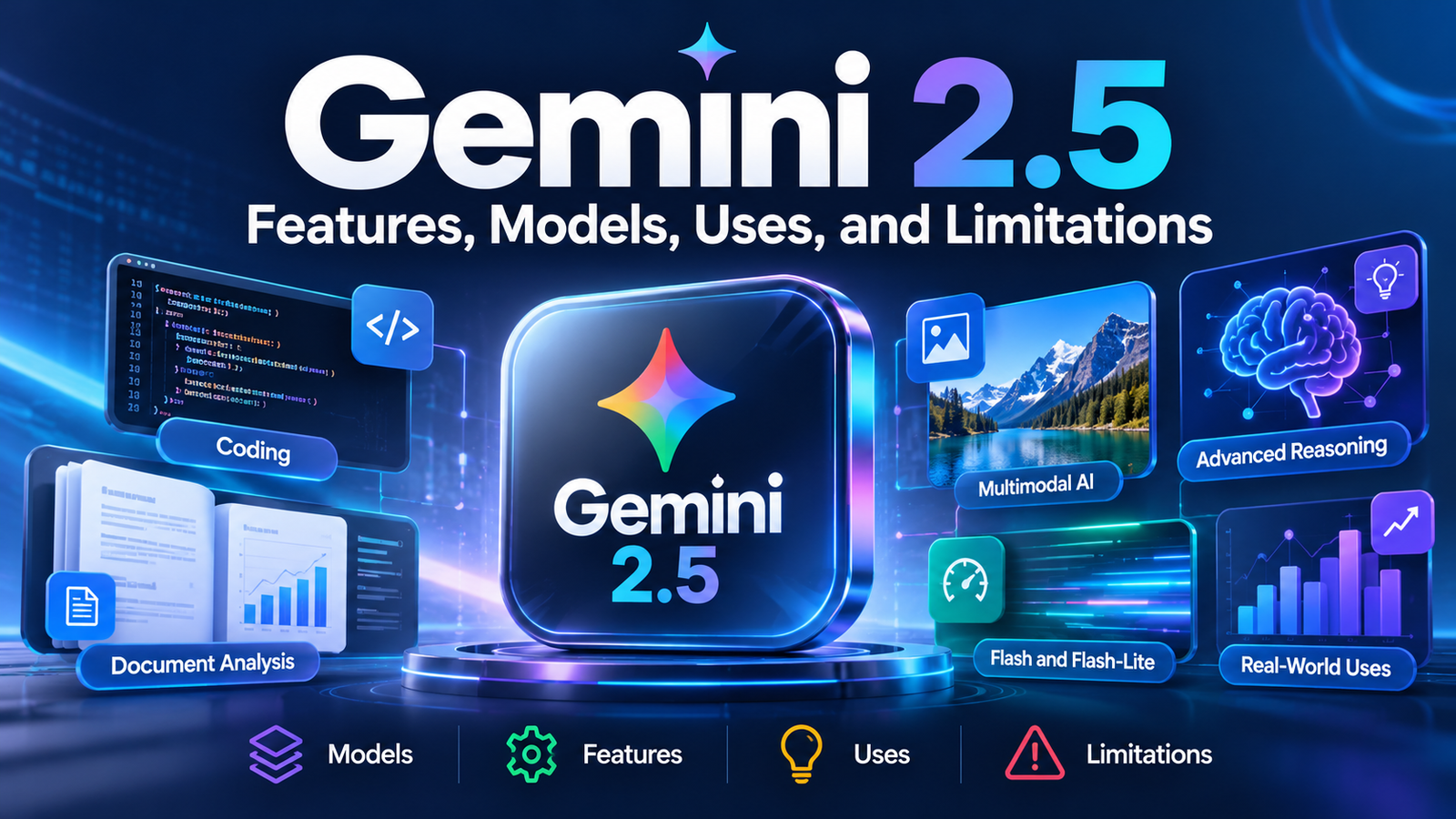
Gemini 2.5: Features, Models, Uses, and Limitations

Gemini 2.5 is Google’s family of artificial intelligence models designed to handle complex reasoning, coding, research, and multimodal tasks. Introduced in March 2025, the series marked an important step in Google’s effort to build AI systems that can analyze information before generating an answer. Unlike a basic chatbot that primarily responds to straightforward prompts, Gemini 2.5 models can devote additional computation to challenging problems, helping them work through mathematical questions, programming tasks, and detailed documents.
The family includes different models designed to balance intelligence, speed, and cost. Gemini 2.5 Pro targets demanding tasks, while Gemini 2.5 Flash focuses on efficient performance, and Flash-Lite is designed for cost-conscious applications. These differences matter when choosing an AI tool for personal work, business automation, or software development. This guide explains how Gemini 2.5 works, what its models can do, how much API access costs, and where its limitations deserve attention. It also examines whether Gemini 2.5 remains a sensible choice for new projects in 2026.
What Is Gemini 2.5?
Gemini 2.5 is a family of generative AI models developed by Google. A generative AI model learns patterns from training data and uses those patterns to produce new content, such as text, code, explanations, and other supported outputs.
Google introduced Gemini 2.5 Pro Experimental on March 25, 2025, highlighting its reasoning and coding capabilities. The company subsequently expanded the family with Gemini 2.5 Flash and Gemini 2.5 Flash-Lite. Pro and Flash became generally available in June 2025, while Flash-Lite was introduced in preview.
The central idea behind this generation is that some questions benefit from more computation before an answer is produced. For example, explaining a complicated software bug may require examining several functions, identifying their relationships, and testing possible explanations rather than immediately suggesting a fix.
Gemini 2.5 is also multimodal. Depending on the specific model and interface, it can work with different types of information, including text, images, audio, and video. This makes it useful for tasks that involve more than a simple text conversation.
Importantly, Gemini 2.5 is a model family, not a single chatbot or subscription plan. The model accessed through Google’s Gemini app may have different tools, usage limits, and integrations from the model accessed through an API.
Main Gemini 2.5 Models and Their Differences
Google designed the 2.5 family to serve different workloads rather than make every user rely on the most powerful model. Choosing the right version depends on the complexity of the task, response speed, and operating budget.
| Model | Main Strength | Best Suited For |
|---|---|---|
| Gemini 2.5 Pro | Complex reasoning and coding | Research, difficult programming, long documents |
| Gemini 2.5 Flash | Speed and performance balance | Everyday AI tasks and high-volume applications |
| Gemini 2.5 Flash-Lite | Low cost and low latency | Classification, simple extraction, repetitive processing |
Gemini 2.5 Pro
Gemini 2.5 Pro is the most capable general-purpose reasoning model within this particular generation. It is designed for tasks that require careful analysis, including advanced mathematics, scientific questions, complex programming, and understanding large collections of documents.
Consider a developer who needs to understand why a web application fails after a change. Pro can examine relevant code, identify possible causes, explain dependencies, and propose a debugging strategy. The developer still needs to test the proposed fix, but the model can reduce the amount of manual investigation required.
Pro also supports multimodal inputs, including text, images, audio, video, and PDF documents through the API. Its large context window makes it possible to provide substantial amounts of source material in one request.
Gemini 2.5 Flash
Gemini 2.5 Flash aims to balance reasoning ability, response speed, and cost. It is particularly useful when an application must process many requests without paying for the highest-capability model on every task.
For example, an online store could use Flash to summarize customer messages, identify the main issue, and draft a response for a support agent. More complicated cases could then be sent to a stronger model or a human employee.
Flash also supports configurable thinking budgets through the developer platform. This gives developers a way to control how much reasoning computation is used, helping them balance response quality, latency, and cost.
Gemini 2.5 Flash-Lite
Flash-Lite is intended for workloads where speed and affordability are especially important. It is a practical option for straightforward, repetitive tasks that do not always require extensive reasoning.
Examples include:
- Categorizing incoming customer emails.
- Extracting names, dates, and invoice totals from documents.
- Classifying product reviews by topic.
- Converting unstructured text into a defined data format.
- Processing large batches of short requests.
Flash-Lite is not automatically the best choice for every inexpensive AI project. If a task requires detailed reasoning, complex code analysis, or nuanced interpretation, a more capable model may save time by producing more useful results on the first attempt.
How Does Gemini 2.5 Work?
Gemini 2.5 combines a large language model with reasoning-oriented training and support for multiple types of input. To understand its practical value, it helps to separate three parts of the process.
1. Understanding the Input
The model receives a prompt and any supporting material, such as text, images, audio, video, or documents. It converts the input into representations that can be processed by the model.
For example, a student could provide a photograph of a mathematics problem and ask for an explanation of the solution. The model must interpret the visible problem, identify the relevant mathematical relationships, and formulate a response.
The quality of that response depends partly on the input. A blurry photograph, missing page, or poorly worded question can lead to mistakes.
2. Applying Additional Reasoning
A distinctive feature of Gemini 2.5 is its ability to use additional computation before responding to difficult prompts. Google describes these as thinking models. Rather than relying only on a quick response, the model can work through more complex relationships before generating its answer.
Imagine asking it to find a bug in a function that calculates shipping costs. The problem might involve several conditions, such as order value, delivery location, and package weight. Additional reasoning can help the model compare those conditions and identify a likely conflict.
However, this is not the same as guaranteed correctness. A model may still overlook an edge case or confidently suggest a solution that fails in practice.
3. Generating the Response
Once the model has processed the request, it generates an output, usually text or code in the standard Gemini 2.5 API. Developers can also use supported tools and structured outputs to connect the model to software systems.
For example, an application might ask Gemini to extract a shipping address and return it in a predefined JSON structure. The application can then validate the fields before saving them to a database.
The important distinction is that generating a response and executing an action are different things. An AI model can propose a database update, but the surrounding application must provide the appropriate permissions and execute the operation.
Key Features of Gemini 2.5
The following capabilities make Gemini 2.5 useful for a range of personal and professional tasks.
Multimodal Understanding
Multimodal AI can process more than one type of information. Depending on the model and interface, Gemini 2.5 can accept text, images, audio, video, and PDF documents.
This is useful when information is spread across different formats. A researcher could analyze a lengthy report alongside charts, while a developer might inspect a screenshot of an interface and ask for suggestions to improve its layout.
There are important distinctions between input support and output generation. For example, Gemini 2.5 Pro supports image input through its API but is not itself the standard image-generation model. Google’s dedicated Gemini 2.5 Flash Image model was designed for image generation and editing.
Large Context Window
A context window is the amount of information a model can process in a single request, measured in tokens. Tokens are small units of text or other encoded information; they do not correspond exactly to words.
Gemini 2.5 Pro and Flash support an input limit of 1,048,576 tokens, commonly described as a one-million-token context window, through the documented API.
This can be valuable for reviewing lengthy contracts, large codebases, research collections, or multiple documents together. Instead of repeatedly providing small excerpts, a user may be able to submit a much larger body of material in one request.
Still, a large context window does not mean the model will remember everything permanently. Context is tied to the request and conversation design, and the model may overlook details buried in a large input. Relevant passages, clear instructions, and verification remain important.
Coding and Mathematical Reasoning
Gemini 2.5 Pro was developed with a particular emphasis on complex reasoning and code. It can help explain programming concepts, generate code, review functions, identify likely bugs, and work through mathematical problems.
For example, a developer could provide a Python function and ask the model to:
- Explain what the function does.
- Identify edge cases that could cause errors.
- Suggest a corrected implementation.
- Create unit tests for the revised version.
The output should be treated as a starting point rather than proof that the software is correct. Tests, code review, and execution in a controlled environment are still necessary.
Tool Use and Structured Outputs
Gemini 2.5’s API supports function calling, structured outputs, code execution, and search grounding for documented models. These capabilities let developers build applications that do more than return free-form text.
Function calling allows a model to request an operation exposed by an application. A travel assistant, for instance, might request a flight search through a developer-provided function. The application handles the actual function execution and returns the result to the model.
Structured outputs help keep responses within a specified format. Search grounding can connect supported requests to information retrieved from Google Search. Neither feature guarantees that every result is complete or correct, so applications should validate outputs and handle failures.
Real-World Uses of Gemini 2.5
Gemini 2.5 can support many workflows, but the most effective use cases are those where its output can be checked and integrated into an existing process.
Content Creation and SEO
Bloggers, editors, and digital marketers can use Gemini 2.5 to organize research, create article outlines, summarize source documents, suggest headings, and improve readability.
For example, a website editor could provide a collection of verified notes about a technology product and ask the model to produce an outline covering features, pricing, limitations, and frequently asked questions. The editor can then verify the facts, add original analysis, and prepare the article for publication.
The main limitation is factual reliability. A well-written article can still contain incorrect product specifications, outdated pricing, or unsupported claims. For SEO publishing, verify important statements against current first-party sources and avoid publishing unedited AI output at scale.
Education and Research
Students and researchers can use Gemini 2.5 to explain difficult concepts, compare arguments, summarize long documents, and identify questions worth investigating.
A university student, for instance, could upload a research paper and ask the model to distinguish its research question, methodology, findings, and limitations. This can make the paper easier to understand before a closer reading.
However, summaries may omit qualifications or misunderstand technical language. Academic references and quotations should be checked against the original publication.
Software Development
Developers can use Gemini 2.5 Pro for challenging programming questions and Flash for faster, routine assistance.
Useful tasks include:
- Explaining unfamiliar code.
- Drafting functions and unit tests.
- Identifying possible bugs.
- Reviewing code for maintainability.
- Documenting APIs.
- Suggesting refactoring approaches.
The strongest workflow combines AI assistance with automated tests and human review. Code that looks correct in a chat window may still contain security flaws or fail under real-world conditions.
Business Automation
Businesses can integrate Gemini 2.5 through Google’s developer tools to automate selected text-processing and document workflows.
Consider a company receiving hundreds of customer emails each day. A model could classify each message, extract relevant details, and draft a suggested response. A separate application would validate the result and route sensitive or unusual cases to an employee.
This approach is more reliable than allowing the model to make every decision independently. Access permissions, error handling, audit logs, and human escalation are especially important when customer information or financial decisions are involved.
Gemini 2.5 Pricing: Is It Free?
Gemini 2.5 has been available through Google’s consumer and developer products, but the cost depends on how you access it. The Gemini app, Google AI subscriptions, and the Gemini API have different pricing and usage rules.
For developers, the following standard API rates provide an illustrative reference point. Prices are in US dollars per million tokens.
| API Model | Input Price | Output Price |
|---|---|---|
| Gemini 2.5 Pro, prompts up to 200K tokens | $1.25 | $10.00 |
| Gemini 2.5 Pro, prompts above 200K tokens | $2.50 | $15.00 |
| Gemini 2.5 Flash | $0.30 for text, image, and video input | $2.50 |
| Gemini 2.5 Flash-Lite | $0.10 for text, image, and video input | $0.40 |
These are API rates, not Gemini app subscription fees. Audio input, caching, batch processing, priority processing, and additional tools may have different rates. Pricing and availability can change.
How Much Would API Usage Cost?
Suppose an application processes one million input tokens and generates 100,000 output tokens using Gemini 2.5 Flash.
At the listed standard rates:
- Input: 1 million × $0.30 = $0.30
- Output: 100,000 × $2.50 per million = $0.25
- Estimated total: $0.55
This is an illustrative calculation, not a quote for a complete application. Actual costs depend on the model, request sizes, reasoning tokens, tools, and other billable services.
Where Can You Access Gemini 2.5?
Historically, users have accessed the family through the Gemini app, while developers have used Google AI Studio, the Gemini API, and Vertex AI for different development and business needs.
As of October 2026, access to Gemini 2.5 API models is limited for users who have not actively used them in the past. The models have not been formally deprecated, but Google recommends newer models for new API projects.
For this reason, someone who wants to experiment with AI should check current access before choosing Gemini 2.5 for a new project. Existing users maintaining a working application may have different considerations from developers starting from scratch.
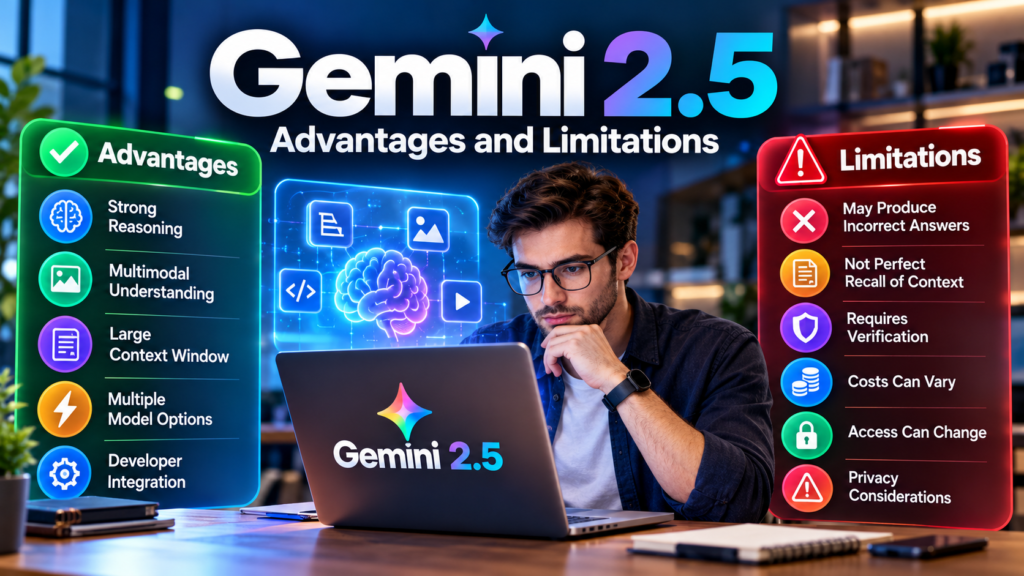
Advantages and Limitations of Gemini 2.5
No AI model is ideal for every task. Gemini 2.5’s benefits are most apparent when the work matches the model’s strengths and its outputs can be evaluated.
Main Advantages
- Strong reasoning capabilities: Pro is designed for complex analytical, mathematical, and programming tasks.
- Multimodal input: Supported models can interpret different forms of information, including documents, images, audio, and video.
- Large context windows: A million-token input limit can accommodate substantial collections of source material.
- Multiple performance levels: Pro, Flash, and Flash-Lite offer different balances of capability, speed, and cost.
- Developer integration: Supported API tools enable structured responses, function calling, code execution, and grounded information retrieval.
Main Limitations
- Hallucinations: The model may produce plausible but incorrect answers.
- Context is not perfect recall: Important details can be missed even when they fit within the context window.
- Output requires verification: Generated code, research summaries, and business decisions need appropriate checks.
- Costs can vary: Long prompts, generated responses, reasoning, and external tools can increase API bills.
- Access can change: Older model versions may face restrictions or eventual retirement.
- Privacy needs attention: Sensitive documents should not be submitted without reviewing the applicable product terms, data-handling policies, and organizational rules.
These limitations are not unique to Gemini 2.5. They are common considerations when building workflows around large language models.
Gemini 2.5 vs. Newer Gemini Models
If you are comparing Gemini 2.5 with newer models, the key question is not simply which version is newer. It is whether the model meets your requirements for quality, latency, price, supported tools, and long-term availability.
Google’s newer Gemini models may be a better starting point for new applications. However, a newer model is not automatically cheaper or better for every individual task.
| Consideration | Gemini 2.5 | Newer Gemini Models |
|---|---|---|
| Existing applications | May suit established integrations | May require migration and testing |
| Reasoning and coding | Capable, especially Pro | May offer improved capabilities |
| Cost | Depends on model and usage | Compare current rates for equivalent workloads |
| Availability | Some access restrictions apply | Check current model and account availability |
| Best approach | Maintain or evaluate existing workflows | Test for new projects and future requirements |
The sensible approach is to test representative prompts, measure response quality, track latency, and estimate total costs before migrating a production application.
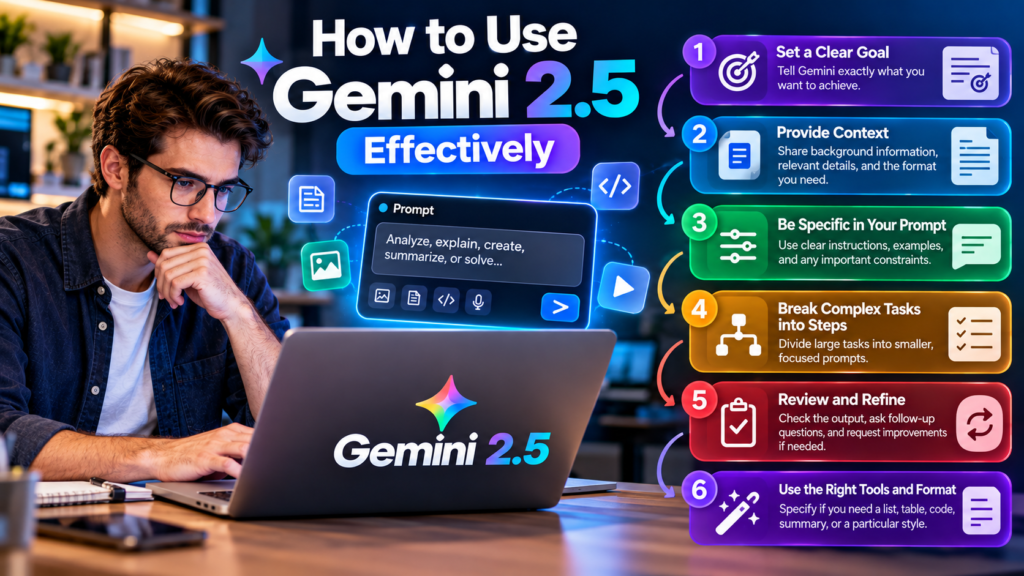
How to Use Gemini 2.5 Effectively
Getting useful results from Gemini 2.5 depends on how clearly you define the task and how carefully you evaluate the answer.
Write Specific Prompts
Instead of asking, “Explain this report,” provide a clear objective, relevant context, and the format you want.
For example:
Analyze the attached technology report. Summarize its three main findings, identify the limitations of the research, and separate verified facts from the authors’ interpretations. Do not add information that is not supported by the document.
This prompt gives the model a defined task and makes the expected output easier to review.
Break Complicated Work into Stages
For a substantial project, avoid asking the model to research, analyze, write, and fact-check everything in one instruction. A staged workflow often makes errors easier to identify.
- Gather and verify the source material.
- Ask the model to organize the evidence.
- Generate an initial outline or solution.
- Review the output for gaps and unsupported claims.
- Test the final result before publishing or deploying it.
For software development, this might mean reviewing the proposed code before executing it. For content creation, it means checking claims against reliable sources before publication.
Test the Model Against Your Actual Needs
Before adopting Gemini 2.5 for a business or website, create a small evaluation set of representative tasks. Compare its answers with trusted reference answers, then measure accuracy, processing time, and cost.
A model that performs well on a simple demonstration may behave differently when given incomplete documents, ambiguous instructions, or unusual edge cases. Testing realistic examples provides a more useful basis for choosing a model than relying on benchmark rankings alone.
Frequently Asked Questions About Gemini 2.5
1. What Is Gemini 2.5 Used For?
Gemini 2.5 can help with coding, research, mathematics, document analysis, content creation, and business automation. The most suitable model depends on the complexity and volume of the work.
2. Is Gemini 2.5 Free?
Some API access has been offered through a free tier, subject to usage limits and availability. Paid API usage is billed separately, while consumer subscriptions have their own terms.
3. What Is the Difference Between Gemini 2.5 Pro and Flash?
Pro targets complex reasoning, coding, and analytical tasks. Flash prioritizes a balance of speed, cost, and capability for broader, higher-volume workloads.
4. Can Gemini 2.5 Analyze Images and PDFs?
Yes. Gemini 2.5 Pro and Flash support image inputs and PDF processing through the documented API. Specific capabilities depend on the model and interface.
5. Does Gemini 2.5 Support Coding?
Yes. It can generate, explain, review, and debug code. Developers should still run tests and check security before using generated code in production.
6. Is Gemini 2.5 Still Available in 2026?
Gemini 2.5 API models remain available under restricted access conditions for some users. Developers should check their account’s access and model availability before starting a new project.
7. Is Gemini 2.5 Better Than Newer Gemini Models?
Not necessarily. Gemini 2.5 remains relevant for some existing workflows, but newer models may offer improvements in reasoning, coding, or efficiency. Compare them using your own tasks and current pricing.
Conclusion
Gemini 2.5 represents an important stage in Google’s development of AI models that combine reasoning, multimodal understanding, and practical developer tools. Its Pro, Flash, and Flash-Lite variants offer different approaches to complex analysis, everyday tasks, and high-volume processing.
For individuals, the family can be useful for learning, research, writing, and programming. For businesses, its API capabilities can support document processing and carefully controlled automation. However, large context windows and advanced reasoning do not eliminate hallucinations, security concerns, or the need for human review.
The most important consideration in 2026 is availability. Google continues to support existing Gemini 2.5 API users, but recommends newer models for new projects. If you are maintaining an existing integration, evaluate whether it still meets your needs. If you are starting from scratch, compare current models before committing to an architecture. That approach is more reliable than choosing a model based on its name or reputation alone.
[…] Gatik: How AI-Powered Driverless Trucks Are Changing Freight Gemini 2.5: Features, Models, Uses, and Limitations Kalon AI: A Guide to AI Companions, Chat and More Cave Duck: AI Chat, Characters, Features […]