

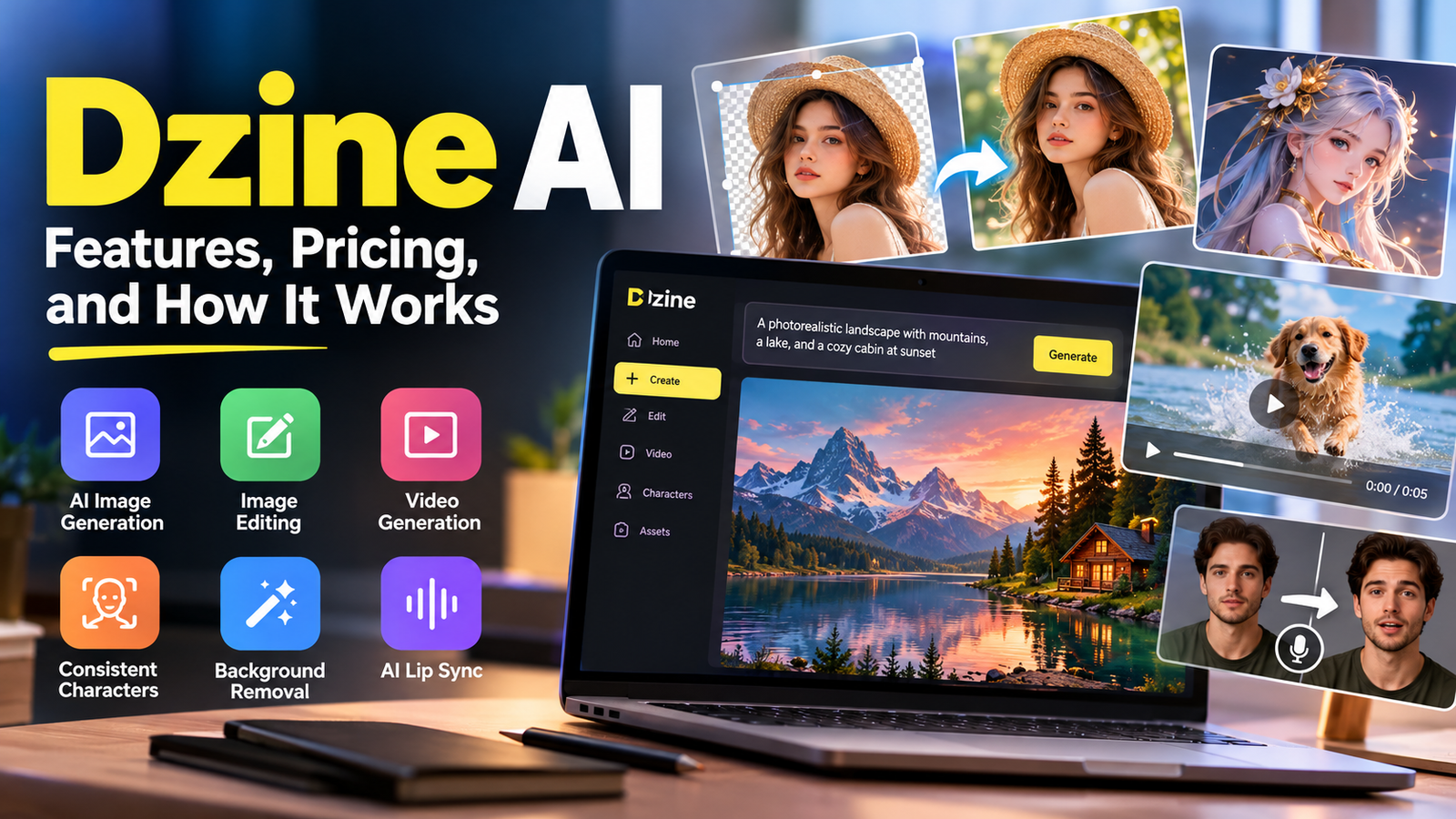
Dzine AI: Features, Pricing, Uses, and Limitations

Dzine AI is an AI-powered creative platform that helps users generate images, edit existing visuals, and create video content through a browser-based workflow. Instead of relying entirely on separate tools for image generation, background removal, character design, and visual editing, creators can access multiple capabilities within one platform.
What makes Dzine AI particularly interesting is its focus on creative control. Generating an image from a text prompt is useful, but professional projects often require more precision. You may need to preserve a product’s shape, change a background without rebuilding the entire image, maintain a character’s appearance across several scenes, or adjust an existing design without starting over.
Dzine AI is designed to support these kinds of creative tasks, making it relevant to bloggers, marketers, illustrators, small businesses, and video creators. However, its capabilities, credit requirements, and available models can vary by plan. This guide explains how Dzine AI works, its main features, pricing considerations, practical applications, and limitations to help you decide whether it fits your workflow.
What Is Dzine AI?
Dzine AI is an AI-powered design and media creation platform that combines image generation, image editing, video creation, visual effects, and tools for developing consistent characters in a single creative workspace.
The platform is designed for people who want to create visuals without managing a complicated collection of separate applications. Users can describe an idea in text, upload reference images, make targeted changes, and develop the results into larger creative projects.
Its main capabilities include:
- AI image generation: Create images from written descriptions.
- Image-to-image editing: Transform existing images while guiding the composition.
- Background removal: Separate subjects from their original backgrounds.
- Object editing: Remove unwanted elements and adjust visual details.
- Character consistency: Develop reusable character designs for multiple images or scenes.
- AI video tools: Generate or transform video content using supported workflows.
- Lip-sync tools: Synchronize a character’s mouth movements with speech.
- Image enhancement: Improve visual quality and prepare assets for different uses.
Dzine also supports multiple AI models. The available selection can change as the platform evolves, so users should check the current model options before starting a project.
How Does Dzine AI Work?
Dzine AI uses generative AI models and editing tools to turn text instructions, reference images, and existing visual assets into new or modified content.
Generative AI produces content based on patterns learned during model training. When you submit a prompt, the selected model interprets your instructions and generates a result. Editing tools can then help refine that result without requiring you to create the entire image again.
Here is a practical workflow for a typical image project.
Step 1: Start With an Idea
Describe the image you want to create. Include the subject, setting, lighting, composition, and visual style.
For example:
Create a realistic photograph of a ceramic coffee mug on a wooden table beside a rain-covered window. Use soft morning light, natural colors, and a shallow depth of field.
This gives the image model more useful direction than simply asking for a coffee mug.
Step 2: Add a Reference Image
If you already have a photograph, sketch, product image, or character design, upload it when the selected tool supports references.
Reference images can help guide composition, appearance, and style. They do not guarantee that every detail will remain unchanged, so inspect important elements carefully.
Step 3: Generate and Refine
Review the initial output and identify what needs improvement. You might want a different background, better lighting, a cleaner composition, or a more suitable color palette.
Use the relevant editing feature or provide a more specific instruction. Making focused changes is often more efficient than repeatedly rewriting the entire prompt.
Step 4: Export the Final Asset
Once the image meets your requirements, select an appropriate export format and resolution. Check the intended use before exporting, particularly if the asset is for print, advertising, or a commercial website.
For complex projects, keep the original reference images and intermediate versions. They can help you reproduce the visual direction later.
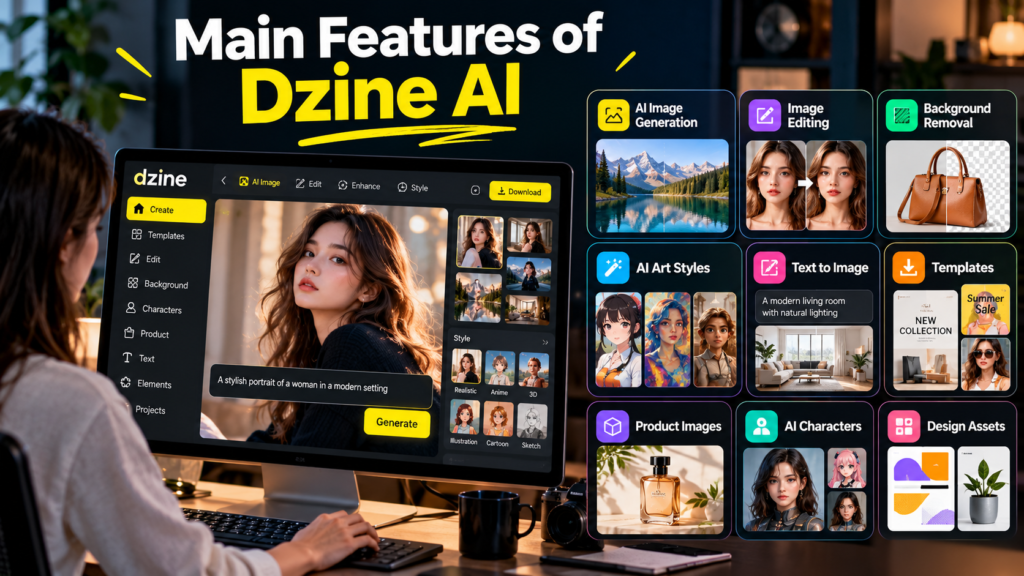
Main Features of Dzine AI
Dzine AI combines several creative tasks rather than relying on image generation alone.
1. AI Image Generator
The image generator creates visual content from text prompts. It can support tasks such as editorial illustrations, concept art, promotional graphics, product imagery, and social media visuals.
The quality of the output depends on the chosen model, the prompt, and the complexity of the scene. A simple product photograph may require relatively little refinement, while a detailed image containing several people, precise objects, and readable text may need multiple attempts.
For the best results, describe the most important visual details first. Specify the subject, setting, framing, and lighting before adding smaller stylistic preferences.
2. Image-to-Image Transformation
Image-to-image generation lets you use an existing image as the foundation for a new visual.
Dzine supports workflows in which users arrange visual elements on a canvas and combine them into a generated image while guiding the placement, size, and orientation of those elements.
This is useful when composition matters. For example, a marketer could arrange a product, a headline area, and decorative elements before generating a unified background and visual style.
However, guiding the overall layout does not guarantee perfect preservation of text, logos, or fine details. Important brand elements should be checked after generation.
3. Chat-Based AI Editing
Dzine includes a chat-based editor that lets users describe desired changes in natural language. Depending on the selected model and editing mode, these instructions can change parts of an image or adjust its overall appearance.
Imagine a blogger who has created a photograph of a person standing in a city. The blogger wants to replace the busy street with a modern office background while retaining the general pose.
A targeted editing instruction can help achieve this without starting from a blank canvas.
The important distinction is that conversational editing is not the same as a guaranteed, pixel-perfect selection tool. AI may alter nearby details, clothing, facial features, or shadows. Review the entire image after every significant edit.
4. Background Removal and Object Editing
Dzine provides tools for removing backgrounds, erasing unwanted objects, inserting elements, and expanding image boundaries.
These functions are useful for preparing product photos, cleaning up editorial images, and adapting existing visuals to new layouts.
For example, an online seller might remove the original background from a product photograph and place the item in a lifestyle setting. The seller can then review whether the product’s proportions, colors, and surface details remain accurate.
Background removal is generally a simpler task than generating a convincing new environment. When the new scene contains reflections, transparent materials, or complex shadows, additional editing may be necessary.
5. Consistent Character Creation
Character consistency matters in comics, illustrated stories, advertisements, animation, and branded content. A character should remain recognizable when the camera angle, pose, expression, or setting changes.
Dzine offers character-related tools designed to create reusable character assets and generate variations from references.
A creator could develop a fictional character for a short story, establish a reference appearance, and then generate scenes showing the character in different environments.
Still, consistency is not absolute. Faces, hairstyles, accessories, proportions, and clothing can drift between generations. Keep a reliable reference image and compare every new result against it.
6. AI Video Generation and Editing
Dzine extends beyond still images with video-generation and editing capabilities. Its video tools include workflows such as text-to-video, image-to-video, reference-to-video, and video enhancement.
Text-to-video starts with a written description, while image-to-video uses a still image to guide the creation of moving content.
For example, a small business could turn a product photograph into a short promotional scene for social media. A filmmaker might use generated clips to explore camera movement or test visual ideas before committing to a more expensive production.
AI-generated video can contain inconsistent motion, distorted objects, changing facial details, or unnatural transitions. Treat generated footage as material to review and edit rather than assuming every clip is ready for publication.
7. AI Lip Sync
Lip-sync tools attempt to align a person’s or character’s mouth movements with spoken audio. This can help creators produce talking avatars, explainers, and character-led videos.
The quality depends on the source image or footage, audio, selected model, and generation settings. Speech timing, facial expressions, and mouth movements may not always look natural.
Use only images, voices, and likenesses that you have permission to use, especially when creating content that could be mistaken for a real person’s statement.
What Can You Create With Dzine AI?
Dzine AI can support a range of creative workflows. Its usefulness depends on the type of content you need and how much manual review you can provide.
Blog and Website Images
Create featured images, supporting illustrations, and custom visuals that match an article’s subject. Bloggers should check that the image accurately represents the topic rather than suggesting events or facts that never happened.
Product Marketing
Explore different backgrounds, lighting styles, and advertising concepts. Confirm that the final image accurately represents the real product, including its shape, packaging, and labeling.
Social Media Content
Develop promotional graphics, campaign concepts, and visual variations for different audiences. Add or correct important text in a suitable design editor when the generated text is inaccurate.
Character and Story Development
Build character references, explore costumes, and generate scenes for comics, storyboards, or animation concepts. Maintain reference assets to reduce visual inconsistencies.
These are practical examples of possible applications, not claims that every project can be completed automatically or without further editing.
Benefits of Dzine AI
Several aspects of Dzine AI may make it useful for individual creators and creative teams.
- Multiple tools in one workspace: Image generation, editing, and video features can reduce the need to move between separate applications.
- More control over composition: Reference images and canvas-based workflows can help guide the arrangement of visual elements.
- Accessible editing: Natural-language instructions make some editing tasks easier for people without advanced graphic design skills.
- Reusable creative assets: Character references and style-related features can support projects that need a consistent visual direction.
- Faster experimentation: Users can explore multiple concepts before investing time in a final design.
- Team workflows: Collaboration and resource-management features can help teams organize supported creative projects.
The greatest benefit is often the ability to test and refine ideas quickly. A designer can explore several creative directions and then spend more time reviewing the strongest options.
That does not mean the platform eliminates creative work. Selecting references, refining prompts, checking accuracy, and making final design decisions remain important.
Limitations and Risks to Consider
Dzine AI has practical limitations that are worth understanding before using it for regular production.
Inconsistent Results
Generative models can interpret the same instruction differently across attempts. A character’s face may change, a product label may become distorted, or an object may appear in an unexpected position.
This is particularly important for commercial work, where consistency matters more than visual novelty.
Limited Precision for Some Edits
Natural-language editing is convenient, but it may change more of an image than requested. When a project requires exact typography, carefully aligned elements, or precise brand colors, a conventional design editor may still be necessary.
Credit Consumption
AI operations can consume different amounts of credits. More complex generations, higher-quality settings, video creation, and certain editing tools may use credits at different rates.
A workflow that seems inexpensive at first can become costly if it requires many retries. Monitor usage during testing and calculate the cost of producing an acceptable final asset, not just the cost of one generation.
Privacy and Content Rights
Before uploading confidential documents, private photographs, unreleased product designs, or client materials, review the platform’s privacy policy and data-handling terms.
Also consider copyright, trademarks, and likeness rights. Permission to use a generation tool does not automatically establish that every resulting image is free of legal restrictions or safe for every commercial purpose.
Dependence on Internet Access and Platform Availability
A browser-based creative platform depends on its service availability, supported models, and current plan limits. Model selection and pricing may change, so avoid building a critical workflow around a feature without testing its reliability first.
Dzine AI Pricing: Is It Free?
Dzine AI offers a free option as well as paid subscriptions. Its listed standard monthly prices include the following plans.
| Plan | Listed monthly price | General suitability |
|---|---|---|
| Free | $0 | Exploring the platform and testing available tools |
| Beginner | $8.99 | Light or occasional creative work |
| Creator | $24.99 | More regular content production |
| Master | $59.99 | Higher-volume creative workflows |
| Master Pro | $149.99 | Heavy usage and larger production needs |
Annual billing may offer lower effective monthly prices on paid plans. Plan benefits can include different credit allowances, asset storage, concurrent jobs, and access to selected models or features.
These prices and plan benefits can change. Check the current subscription details before purchasing, especially if you need a specific video model, export resolution, commercial-use permission, or character capacity.
How Does the Credit System Work?
Credits are a usage allowance for AI operations. Different actions can consume different quantities, so the number of images or videos you can create depends on the models and settings you choose.
For example, generating several image variations may cost less than repeatedly generating high-resolution video clips. Editing and enhancement operations can also consume credits.
To manage costs effectively:
- Test your prompts with inexpensive settings when available.
- Use reference images to reduce unnecessary experimentation.
- Reserve higher-quality generations for promising results.
- Track credit consumption during a typical project.
- Compare subscription limits with your actual monthly workload.
Do not choose a plan solely because it advertises a large credit allowance. Consider which features you will use and how much refinement your projects usually require.
Dzine AI vs. Other AI Creative Tools
Dzine AI is most useful when you want generation and editing capabilities in a connected workflow. Other tools may be a better fit when you have a more specialized need.
| Tool | Main strength | Best suited for |
|---|---|---|
| Dzine AI | Integrated image and video creation with editing controls | Generating and refining visual assets in one workspace |
| Midjourney | AI image generation and artistic exploration | Exploring distinctive visual styles |
| Adobe Photoshop | Detailed image editing and compositing | Precise control over individual image elements |
| Canva | Layouts, templates, and marketing design | Creating branded graphics and marketing content |
| Runway | AI-assisted video creation and production | Video-focused creative workflows |
These tools have overlapping capabilities, and their features change over time. This is a comparison of their general roles, not a claim that one consistently produces better results than another.
A professional workflow can also combine tools. For instance, a creator might generate a concept in Dzine AI, correct detailed elements in an image editor, and assemble the final promotional layout in a design application.
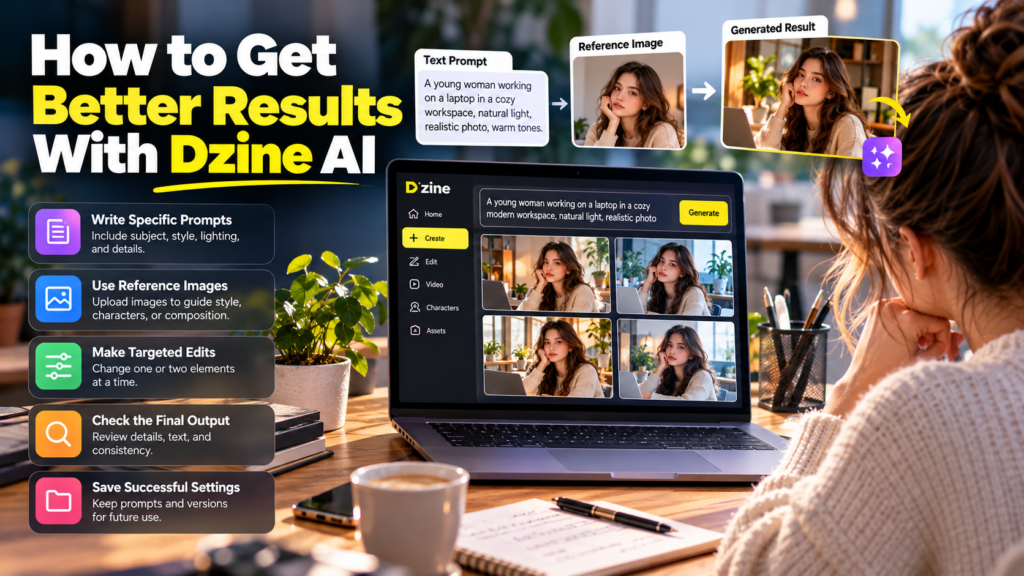
How to Get Better Results With Dzine AI
A thoughtful workflow usually matters more than writing an unusually long prompt.
Write Specific Prompts
Include the subject, setting, composition, lighting, and desired visual style. Avoid combining conflicting instructions, such as requesting both flat vector artwork and a highly realistic photograph in the same image.
Use References Strategically
Upload an appropriate reference when you need to guide a character, product, composition, or style. Use clear images and specify which details should remain consistent.
Make Small, Targeted Edits
Instead of asking the model to change everything, identify one or two improvements at a time. This makes it easier to evaluate the result and spot unwanted changes.
Check the Final Output
Inspect faces, hands, text, logos, shadows, object proportions, and background details. If the image is intended for a factual article or advertisement, make sure the visual does not misrepresent the subject.
Keep Track of Successful Settings
Save useful prompts, references, and project versions. Reusing a tested workflow can improve consistency and reduce unnecessary generations.
Who Should Use Dzine AI?
Dzine AI is worth exploring if your work involves frequent image creation, visual experimentation, or AI-assisted video production.
It may be particularly useful for:
- Bloggers and publishers who need original featured images and supporting illustrations.
- Digital marketers who create advertising concepts and social media content.
- Small businesses that want to explore product visuals without commissioning every initial concept.
- Illustrators and storytellers who need character references and scene variations.
- Video creators who want to experiment with generated footage, animation, or talking avatars.
- Creative teams that need shared assets and organized production workflows.
It may be less suitable as a complete replacement for professional editing software when your work requires exact typography, detailed compositing, strict brand consistency, or frame-by-frame video control.
The best way to evaluate Dzine AI is to test it against a real task you perform regularly. Create one image or short video, measure the editing effort, and see whether the results justify the time and credits required.
Frequently Asked Questions About Dzine AI
1. What is Dzine AI used for?
Dzine AI is used to generate and edit images, develop character designs, create videos, enhance visual assets, and produce other AI-assisted creative content.
2. Is Dzine AI free to use?
Yes. Dzine AI offers a free plan, while paid subscriptions provide additional credits and features. Check the current plan details for exact limits.
3. Can Dzine AI generate videos?
Yes. The platform offers video-generation workflows, including text-to-video and image-to-video. Available models, output quality, and credit costs vary.
4. Is Dzine AI suitable for beginners?
Yes. Its visual interface and natural-language editing tools can help beginners create content without advanced design or coding skills.
5. Can I use Dzine AI images commercially?
Commercial use depends on the applicable plan, model, content, and licensing terms. Review the current terms before using generated assets in paid projects.
6. Does Dzine AI maintain consistent characters?
It provides character-related tools designed to support consistency across multiple images and scenes. However, facial features, clothing, and other details can still change between generations.
7. Is Dzine AI better than Midjourney?
Neither is automatically better for every task. Dzine AI emphasizes an integrated creative and editing workflow, while Midjourney is widely used for AI image generation and artistic exploration. Your choice should depend on the project and required level of control.
Conclusion
Dzine AI offers a practical approach to AI-assisted creative work by bringing image generation, visual editing, character development, and video tools into one platform. Its main advantage is the ability to move from an initial concept to a refined asset without relying entirely on separate applications.
However, the quality of the final result still depends on the selected model, reference materials, instructions, and amount of human review. Inconsistent details, credit consumption, and licensing considerations are important factors, particularly for commercial projects.
For bloggers, marketers, designers, and video creators, Dzine AI can be a useful addition to a creative workflow. Start with the free option, test the tools relevant to your work, and evaluate the results before committing to a subscription. The right choice is the one that consistently produces useful assets at a cost and quality level that suits your needs.
[…] Poe AI: Features, Models, Pricing, and How to Use It Dzine AI: Features, Pricing, Uses, and Limitations Codeium: Features, Benefits, Uses, and Alternatives GeoSpy: How AI Can Identify Where a […]