

C.ai Plus: Features, Pricing, Filters & Alternatives

Character.AI has become a popular platform for people who want to chat with AI characters, develop fictional stories, practice conversations, or explore interactive role-playing. Its paid subscription, c.ai+, offers a more convenient experience with faster responses, fewer interruptions, and additional features. However, paying for a subscription does not automatically remove the platform’s content restrictions.
If you are researching c.ai plus, you may also be wondering whether Character.AI still has a filter, why its responses sometimes feel slow, or whether your conversations are private. Other common questions concern deleting an account, removing unwanted characters, and finding a suitable alternative.
Understanding these differences matters before spending money on a subscription or sharing personal information with an AI chatbot. Character.AI offers both free and paid access, but its subscription benefits, safety systems, and privacy practices serve different purposes. This guide explains what c.ai+ offers, what its filters mean, how to troubleshoot performance problems, and which alternatives may better match your needs.
What Is C.ai Plus?
C.ai+, also written as c.ai plus, is the premium subscription for Character.AI. The service lets people interact with AI-powered characters through conversations that can resemble storytelling, role-playing, casual chats, or fictional scenarios.
The underlying technology is a large language model (LLM), a type of AI trained to generate text based on patterns learned during training and the context of a conversation. When you send a message, the model uses your input and the conversation history to produce a response.
The free version allows users to chat with characters without purchasing a subscription. C.ai+ is designed for people who want additional convenience and access to premium features.
What Does C.ai+ Include?
Character.AI’s published subscription information lists several benefits, although the available feature set can change as the company updates the platform.
Key benefits include:
- Faster responses: Premium messaging is designed to generate replies more quickly.
- No advertisements: The subscription offers an ad-free experience.
- Improved memory: Premium memory features help characters maintain relevant details from conversations.
- Premium chat styles: Subscribers can access premium conversation styles without the daily restrictions associated with lower-tier access.
- Chat customization: Additional options let users personalize their chat experience.
- Early access: Subscribers may receive earlier access to new features.
- Priority experience: Premium access can reduce certain service interruptions and restrictions.
The precise features available depend on the current subscription terms and product interface. Check the official Character.AI subscription page before purchasing.
Is C.ai+ Better Than the Free Version?
That depends on how frequently you use the platform.
If you chat with AI characters occasionally, the free version may be sufficient. If you use Character.AI every day for long fictional conversations, interactive storytelling, or creative projects, faster responses and premium features may be worth considering.
However, c.ai+ is primarily a subscription for an improved user experience, not a guarantee of unrestricted AI responses. Paying for premium access does not mean every prompt will be accepted or every character will respond exactly as requested.
C.ai Plus Pricing: How Much Does It Cost?
C.ai+ has traditionally been offered through monthly and annual subscriptions. However, pricing and promotional offers can vary by country, billing method, and eligibility.
Character.AI’s published subscription information lists a standard annual price of $94.99, while monthly pricing and promotional rates should be confirmed directly at checkout. The company has also introduced c.ai lite, a lower-cost subscription with a smaller set of premium benefits.
Here is how to approach the available plans:
| Plan | Best for | Main benefits |
|---|---|---|
| Free | Occasional users | Standard AI character conversations |
| c.ai lite | Users wanting some premium features at a lower price | Fewer advertisements, limited daily premium chat styles, improved memory |
| c.ai+ | Frequent users | Ad-free chats, premium chat styles, faster responses, and additional features |
These descriptions reflect the published plan structure; exact features and availability may change.
Is C.ai+ Worth the Money?
Before subscribing, consider how much time you spend waiting for replies and whether you regularly use the platform’s premium features.
C.ai+ may make sense if you frequently experience waiting rooms or want an ad-free interface. It may be less valuable if your main frustration is content moderation.
The distinction is important: a faster subscription does not necessarily produce more permissive responses. If you are considering paying solely to remove the filter, check the subscription terms carefully before making a purchase.
You should also review the renewal terms. Subscriptions generally renew automatically until canceled, and the cancellation process depends on whether you subscribed through the website or a mobile app store.
Did C.ai Remove the Filter?
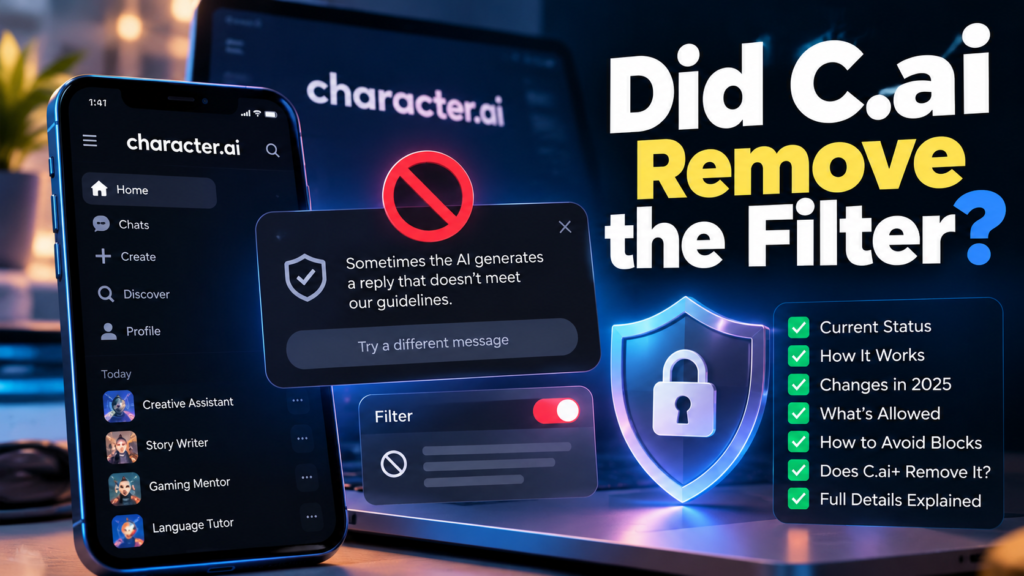
No. Character.AI has not announced the complete removal of its content moderation system. Its official safety documentation describes automated tools that identify and restrict content that violates its policies.
However, the platform has made changes to how its filters respond to fictional scenarios.
In an August 2025 community update, Character.AI announced improvements intended to help its filter recognize role-playing situations more accurately. The company said fictional content would be blocked less often.
This distinction explains why users may have different experiences with the same platform.
A harmless fictional adventure might pass through the system, while a different conversation may trigger a restriction because of its wording or context.
Does C.ai Still Have a Filter?
Yes. Character.AI continues to describe content moderation as part of its service.
Its safety system can involve several components:
- Input moderation: Checks whether a submitted prompt violates platform rules.
- Output moderation: Helps identify responses that contain restricted material.
- Age-related safeguards: Applies additional protections to younger users.
- Character restrictions: Limits access to characters that violate applicable rules or are unsuitable for certain users.
These systems are not necessarily identical across every account or conversation. Character.AI has described different safety measures for teen and adult experiences.
A filter can also produce inconsistent results. Because language models interpret context probabilistically, a particular phrase may receive different responses depending on the surrounding conversation.
That does not mean the filter has disappeared. It means moderation outcomes can vary.
Why Does Character.AI Block Some Conversations?
Character.AI uses moderation to enforce its content policies and reduce exposure to certain harmful or inappropriate material.
The company must balance several competing objectives: allowing creative storytelling, supporting varied fictional characters, preventing prohibited content, and maintaining a service that complies with its policies.
This creates a practical limitation for users who want complete creative freedom.
For example, someone writing a fantasy story may find that a scene involving fictional danger works normally, while a later scene triggers a restriction. The system may interpret the second scene differently because of its wording or context.
The important point is that a moderation message does not always mean the entire topic is prohibited. However, repeatedly changing wording cannot guarantee that a restricted request will become acceptable.
How to Remove the C.ai Filter
There is no official setting that guarantees the removal of Character.AI’s content moderation system.
If you are trying to write a harmless story and receive an unexpected restriction, the best approach is to clarify the fictional context and keep the request within the platform’s rules.
For example, instead of writing an ambiguous prompt such as:
“Make the next scene intense and dangerous.”
You could provide a clearer creative direction:
“Continue the fictional fantasy adventure with suspense, a difficult decision, and a dramatic escape. Keep the scene focused on the characters’ emotions and the unfolding plot.”
The second prompt explains what kind of storytelling you want without relying on ambiguous wording.
How to Get Rid of the Filter on C.ai: What Actually Helps?
Consider these practical steps:
- Clarify the scene: Explain the setting, character motivations, and intended direction of the story.
- Keep the request within the rules: Avoid asking the system to produce content that violates its policies.
- Start a fresh conversation if context becomes confusing: A long chat can accumulate details that influence later responses. A new conversation may help if the character has misunderstood the storyline.
- Check for a technical issue: If an ordinary, permitted message is repeatedly blocked, reload the conversation or try another supported client.
- Report persistent problems: Contact Character.AI support if you believe a harmless conversation is being incorrectly restricted.
These suggestions may improve clarity, but they are not guaranteed methods for bypassing moderation.
Does C.ai+ remove the filter? No official subscription information promises unrestricted responses or complete filter removal. Premium access is designed to improve the experience, not eliminate all content restrictions.
Why Is C.ai So Slow?
The question “why is c.ai so slow?” usually refers to one of several problems: delayed message generation, a conversation that takes a long time to load, a waiting room, or an app that freezes.
These symptoms can have different causes, so identifying the specific problem is the first step toward fixing it.
Common Reasons for C.ai Slow Performance
1. High server demand
Character.AI serves conversations to many users simultaneously. When demand approaches the service’s available capacity, response times may increase or users may encounter waiting rooms.
2. Network problems
An unstable Wi-Fi connection, mobile data interruptions, or network congestion can delay messages even when the service itself is operating normally.
3. Browser or app issues
An outdated application, corrupted cached data, or a browser extension can interfere with loading and displaying conversations.
4. Long conversation histories
A lengthy chat may require the system to account for more previous information when generating a response. Depending on how the platform manages conversation context, this can contribute to slower processing.
However, a long chat is not automatically the cause of every delay. Server demand and network conditions may be more important.
5. Account or subscription differences
Character.AI offers premium benefits designed to improve response speed and reduce certain interruptions. The company has advertised approximately two-to-three-times-faster message generation for c.ai+ compared with the standard experience, although actual performance depends on conditions.
How to Fix C.ai Slow Loading and Responses
Try these troubleshooting steps in order:
- Refresh the website or restart the app.
- Check whether other websites and applications load normally.
- Switch between Wi-Fi and mobile data to identify a connection problem.
- Update the Character.AI app or your browser.
- If you use a browser, try a private window or temporarily disable extensions that may interfere with the page.
- If only one conversation is unusually slow, start a separate chat to see whether the problem persists.
- Check Character.AI’s official announcements or support resources for service-related problems.
Avoid repeatedly clearing all application data without understanding the consequences. Before signing out or reinstalling the app, make sure you can access your account again.
If messages are delayed across several devices and networks, the problem may be on the service’s side rather than yours.
Can People See Your C.ai Chats?
Character.AI states that character creators cannot see the conversations users have with their characters. However, that does not mean every aspect of your account and conversations is inaccessible to the company itself.
According to Character.AI’s privacy information, the platform collects information associated with account use and interactions. It may process information to operate, maintain, secure, and improve its services.
It is helpful to distinguish three different types of visibility:
- Character creators: The person who created a bot cannot see your private conversations with that character.
- Other users: Your private chat is not automatically published to the community simply because you use a public character.
- The platform operator: Character.AI processes interaction data under its privacy policy and may use information for specified operational, safety, and model-improvement purposes.
Are C.ai Chats Completely Private?
You should not treat an AI conversation as equivalent to a confidential conversation with a lawyer or doctor.
Avoid sharing information such as passwords, financial account details, identity documents, or other sensitive personal information. An AI chatbot may feel personal, but it remains a service operated by a company.
There is another important development for users concerned about privacy. Character.AI’s model-training page describes a setting that lets users in the European Economic Area and United Kingdom opt out of using their chat content to train generative AI models. The company explains that opting out does not necessarily prevent data from being used for other purposes, such as improving search, recommendations, and safety systems.
If you are in another region, check the current privacy policy and the controls available in your account rather than assuming the same setting is available everywhere.
Does Deleting a Chat Mean All Its Data Is Gone?
Not necessarily. Removing a conversation from the interface and deleting personal data held by a service are different actions.
If you want to stop using Character.AI, review its data-deletion process and privacy policy. You can also explore the available options for exporting your information before closing your account.
Important October 2026 update: Character.AI announced on October 12, 2026, that it had initiated a voluntary Chapter 11 bankruptcy process to facilitate a court-supervised sale. The company says the platform remains operational for now, but it may be wound down if the sale does not result in a proposal that allows continued operations. The company also states that subscriptions remain active and billing is unchanged for now.
This development makes it particularly sensible to review your account, subscription, and data-export options if you rely heavily on the platform.
How to Delete Your C.ai Account
If you no longer want to use Character.AI, you can delete your account through its account settings.
The company’s official help center explains that account deletion is permanent and cannot be reversed. Before proceeding, consider whether you want to save any conversations or other information that may be important to you.
Steps to Delete a C.ai Account on a Computer
Follow these steps:
- Sign in to your Character.AI account.
- Open your profile.
- Select Profile Settings.
- Open Account.
- Select Manage Account & Data.
- Choose Delete Account and follow the confirmation instructions.
The exact interface may change as Character.AI updates its website.
How to Delete a C.ai Account on Mobile
On the mobile app:
- Open Character.AI and sign in.
- Navigate to your profile.
- Open the settings menu.
- Select Remove Account.
- Follow the instructions to confirm deletion.
Make sure you are deleting the intended account before confirming.
What Happens After Account Deletion?
Account deletion is a significant step, not simply a way to clear your chat list.
Consider these points before proceeding:
- You may lose access to your account and associated conversations.
- You should cancel any paid subscription separately if required by your billing method.
- Deleting your account does not necessarily mean that every backup or previously processed piece of information disappears immediately.
- If you want to retain your data, investigate the available export options before deleting the account.
How to Delete Bots on C.ai
Users sometimes want to delete a character they created, remove an unwanted character from their recent chats, or hide a bot from their profile.
These are different actions, and the available controls depend on the type of character and the current interface.
How to Remove a Bot From Recent Chats
If you simply want to clean up your conversation list, look for the options menu associated with the relevant character or chat.
Depending on the interface, you may have an option to remove the conversation from your recent list or hide the character.
Removing a conversation from your list should not automatically be interpreted as deleting the character itself.
How to Delete Your Own C.ai Bot
If you created the character, open its profile or management options and look for the available editing, visibility, or deletion controls.
Character.AI’s interface and available character-management actions can change. If a permanent deletion option is unavailable, consult the platform’s current help documentation.
Do not assume that hiding a character or archiving it permanently deletes it.
Can You Delete Someone Else’s C.ai Bot?
You generally cannot directly delete a character created by another user.
If the character violates the platform’s rules, use the available reporting tools. If you simply do not want to see it, removing it from your recent conversations or avoiding it may be sufficient.
Character.AI has also described an archive feature that allows users to hide characters from their profiles and restore them later. Archiving is useful for organization, but it is not the same as permanent deletion.
Best C.ai Alternatives in 2026
The best c.ai alternative depends on what you want to improve.
Some people want a large collection of community-created characters. Others care more about persistent memory, personalized companions, creative writing, or greater control over the AI model.
No single service is best for every use case. Before switching, compare the available features, privacy practices, age requirements, subscription costs, and content policies.
Character.AI Alternatives Compared
| Alternative | Main strength | Best suited for | Important consideration |
|---|---|---|---|
| JanitorAI | Character-based conversations | Users interested in character creation and role-play | Check current model options, costs, and content rules |
| Kindroid | Personalized AI companions | Users who value customization and conversational continuity | Some features require payment |
| Nomi | Ongoing AI companion conversations | Users who prioritize relationship continuity and memory | Check available plans and privacy controls |
| Replika | Companion-focused interactions | Users looking for a personalized AI companion | Features and access vary by subscription |
| NovelAI | AI-assisted storytelling | Writers developing fictional worlds and stories | It is more writing-focused than a traditional character-discovery platform |
| SillyTavern | Configurable chat interface | Users who want greater control over their chat setup | It is a frontend, so you generally need to configure or connect an AI model |
These platforms serve different purposes. JanitorAI and SillyTavern are not interchangeable, for example: one is a hosted character-chat platform, while the other is an interface that can connect to supported model backends.
Likewise, NovelAI is more suitable for creative writing than for simply browsing a large library of public characters.
Which C.ai Alternative Should You Choose?
For character role-play: Compare JanitorAI with Character.AI and examine the available character library, model options, and content rules.
For a personalized companion: Kindroid, Nomi, and Replika are worth investigating. Compare how they handle memory, personalization, and ongoing conversations.
For creative writing: NovelAI may be a better fit if your primary goal is developing plots, fictional worlds, and longer stories.
For technical flexibility: SillyTavern may appeal to users who are comfortable configuring an interface and selecting a model provider.
Remember that greater flexibility does not automatically mean better privacy, more reliable responses, or unlimited access. Review each provider’s current terms before sharing personal information or purchasing a subscription.
Is C.ai Plus Worth It in 2026?
The value of c.ai+ depends on the problem you are trying to solve.
If you primarily experience waiting rooms, slow message generation, or interruptions, the subscription may offer practical benefits. Character.AI specifically lists faster generation and waiting-room access among its premium perks.
However, if your main concern is content moderation, a subscription may not address it.
Before paying, ask yourself three questions:
- Do I use Character.AI frequently? Occasional users may find the free plan sufficient.
- Is speed my main problem? If the issue is a poor network connection, a subscription may not solve it.
- Do I need features the subscription actually includes? Read the current plan details rather than relying on assumptions about premium access.
You should also consider the platform’s October 2026 bankruptcy announcement. Character.AI says subscriptions remain active and billing is unchanged for now, but the future of the service depends on the ongoing sale process. Review the latest official announcements before committing to a long-term subscription.
For users who are unsure, starting with the free experience and evaluating its limitations is a sensible approach.
Frequently Asked Questions
1. Did C.ai Remove the Filter?
No. Character.AI has announced improvements to its moderation system, but it has not announced the complete removal of its content filters.
2. Does C.ai Plus Remove the Filter?
No. C.ai+ provides premium features such as faster responses and an ad-free experience, but it does not promise unrestricted responses.
3. Why Is C.ai So Slow?
Possible causes include high server demand, network problems, browser issues, and long loading times. Try refreshing the app and checking your connection first.
4. Can People See Your C.ai Chats?
Character creators cannot see your private conversations with their characters. However, Character.AI processes interaction data under its privacy policy, so avoid sharing sensitive personal information.
5. How Do You Delete a C.ai Account?
Open your profile settings, navigate to Account and Manage Account & Data, and select Delete Account. On mobile, look for Remove Account in your profile settings.
6. How Do You Delete Bots on C.ai?
Look for the character-management options if you created the bot. If you only want to remove it from your chat list, use the available conversation-removal or archive controls.
7. What Is the Best C.ai Alternative?
The best choice depends on your needs. Consider JanitorAI for character-based chats, Kindroid or Nomi for personalized companions, NovelAI for storytelling, and SillyTavern for a configurable chat interface.
Conclusion
C.ai plus is designed to improve the Character.AI experience through faster message generation, reduced interruptions, and additional premium features. It can be worthwhile for frequent users, but it is important to understand what the subscription does and does not provide.
The platform still uses content moderation, and premium access does not guarantee unrestricted conversations. Users concerned about privacy should review the available data controls, while those experiencing slow responses should troubleshoot their connection before assuming a subscription is necessary.
If Character.AI no longer meets your needs, alternatives such as JanitorAI, Kindroid, Nomi, NovelAI, and SillyTavern offer different approaches to character interaction and storytelling.
Finally, Character.AI’s October 2026 bankruptcy announcement makes it especially important to stay informed about potential service changes, subscription terms, and data-export options. Choose a platform based on its current capabilities, privacy practices, and suitability for your intended use rather than relying on promises of unlimited access.
[…] Wysa: A Complete Guide to the AI Mental Wellness App C.ai Plus: Features, Pricing, Filters & Alternatives InferKit: What It Was, How It Worked, and the Best Alternatives MagicSchool AI: A Complete […]