

Make AI Music: How to Create Songs With AI

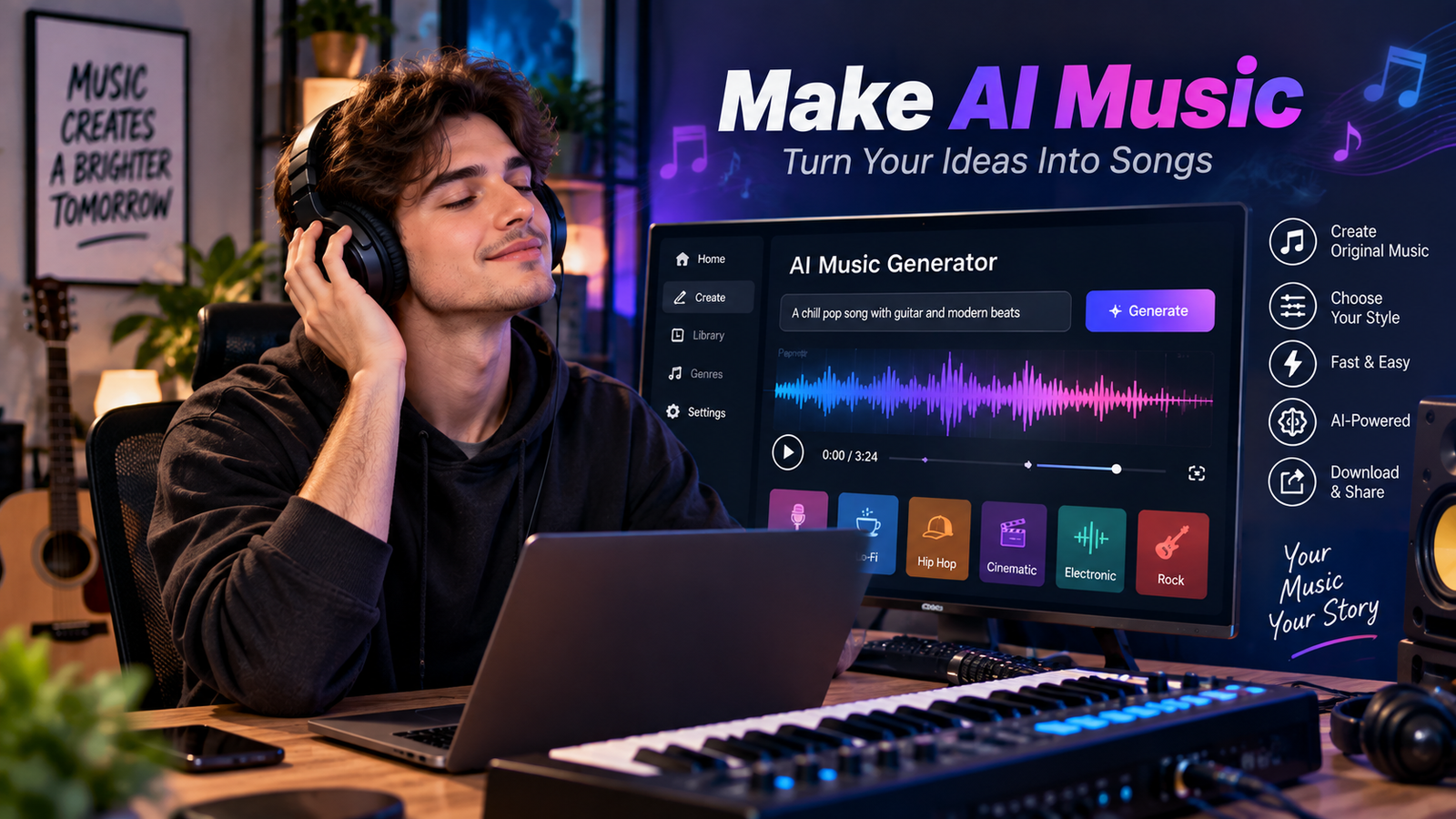
If you want to make AI music, you no longer need professional studio equipment or years of music training. Modern artificial intelligence tools can help create melodies, beats, lyrics, vocals, and complete song ideas within minutes. You can start with a simple description, such as “create a relaxing piano song for studying,” and let an AI music generator turn your idea into sound. However, good results still depend on clear instructions, thoughtful editing, and creative choices. This guide explains how beginners can make AI music step by step, choose suitable tools, improve prompts, and create songs that sound more personal, polished, and useful.
What Does It Mean to Make AI Music?
To make AI music means using artificial intelligence to generate or assist with musical content. Depending on the platform, AI can create melodies, chord progressions, rhythms, lyrics, vocals, or complete arrangements. Some tools generate music from text prompts, while others transform existing musical ideas into new compositions. The technology uses patterns learned from large collections of musical data to produce new audio based on your instructions. Therefore, you can experiment with different genres, instruments, moods, and song structures without understanding every technical detail of music production.
The process can be as simple or advanced as you want. A beginner might enter a short description and receive a complete song, while an experienced creator may control tempo, instruments, sections, lyrics, and vocal styles. When you make AI music, think of the technology as a creative assistant rather than a replacement for your ideas. Your concept, editing decisions, and final arrangement still matter. This approach helps you create music that feels intentional instead of randomly generated. It also makes experimentation easier because you can quickly test several versions before choosing the direction you prefer.
How to Make AI Music From a Simple Idea
The easiest way to make AI music is to begin with one clear musical idea. First, decide what the song should communicate. Consider its mood, purpose, genre, tempo, instruments, and vocal approach. For example, you could describe a cheerful pop song about friendship with bright guitars, soft drums, and an uplifting chorus. Clear details give an AI music generator useful direction. Instead of writing a vague prompt like “make a good song,” describe the sound and feeling you want. This makes your creative goal easier to communicate and can produce more consistent results.
A simple workflow can help beginners avoid confusion. Start with the concept, then create lyrics or a basic story if your song needs vocals. Next, describe the musical style, instruments, energy, and structure. Generate several versions and listen carefully to each one. When you make AI music, do not automatically choose the first result. Compare the melody, rhythm, vocals, arrangement, and overall mood. Keep the strongest version and improve weaker sections where possible. Small changes to your prompt can produce noticeably different results, so testing variations is an important part of the creative process.
Best Prompts to Make AI Music
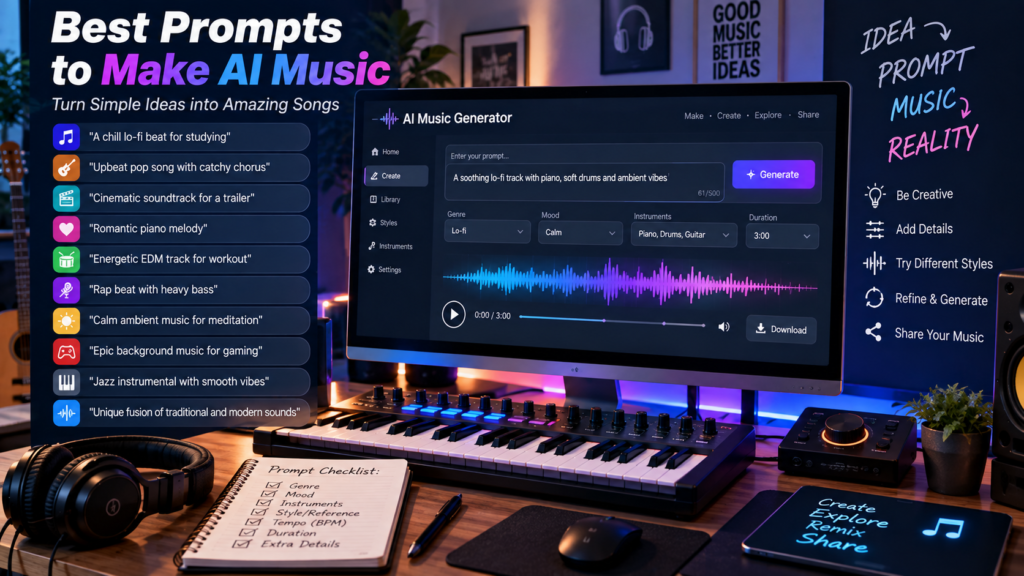
Good prompts are one of the most important parts of the process. A useful prompt should explain the type of music, mood, instruments, tempo, vocals, and intended atmosphere. For example, you might request a “warm acoustic folk song with gentle male vocals, fingerpicked guitar, light percussion, and an emotional chorus.” You can also describe the intended listener or setting. A study track could emphasize calm sounds and minimal percussion, while a workout track could request energetic drums and a faster tempo. Specific instructions usually provide more useful creative direction than short, unclear requests.
When you make AI music, experiment with prompts rather than searching for one perfect formula. Try changing one element at a time so you understand what affects the result. You could first change the tempo, then the instruments, then the vocal style. This makes the process easier to control. Avoid stuffing unrelated instructions into one prompt because conflicting ideas can create an unfocused song. A strong prompt should sound like a simple creative brief. For beginners, keeping the language natural is often enough. You do not need complicated technical terminology to communicate a musical idea clearly.
Make AI Music With Lyrics and Vocals
Lyrics can give an AI-generated song a stronger identity and emotional direction. You can write your own lyrics, create them with assistance, or develop a simple concept before generating the music. A useful song structure might include an intro, verse, pre-chorus, chorus, second verse, bridge, and final chorus. Keeping sections organized helps the song feel easier to follow. When you make AI music with vocals, consider whether the words match the rhythm and emotional tone. Simple, natural lyrics often work better than overly complicated writing because listeners can understand and remember them.
Vocal generation also requires careful attention. Different tools may offer different vocal options, languages, tones, and levels of control. Before publishing a song, listen for pronunciation problems, awkward syllables, unnatural timing, or repeated phrases. If something sounds wrong, revise the lyrics or generation instructions instead of accepting the first version. You should also check the platform’s current rules about commercial use, ownership, and generated voices. These policies can differ between services and may change over time. Responsible creators should understand those terms before using AI-generated vocals in commercial projects, advertisements, or public releases.
AI Music Creation Workflow Chart
A simple workflow makes it easier to understand how the entire process fits together. You can use the following chart when you want to make AI music from scratch:
AI Music Creation Chart
IDEA
  ↓
Choose Genre + Mood
  ↓
Write Lyrics or Concept
  ↓
Create a Detailed Prompt
  ↓
Generate Music
  ↓
Listen and Review
  ↓
Improve Lyrics / Arrangement
  ↓
Generate Another Version
  ↓
Edit and Finalize
  ↓
Check Usage Rights
  ↓
PUBLISH OR SHARE
This workflow works because every stage has a clear purpose. The idea establishes your creative direction, while the prompt communicates that direction to the AI system. Generation gives you an initial version, but reviewing and editing turn that draft into something more deliberate. When you make AI music, repeating the generation and review stages can be useful because the first result may not match your expectations. Think of each generation as a draft rather than a finished product. This mindset encourages experimentation and helps you focus on improving the song instead of expecting perfection immediately.
How to Improve AI-Generated Songs
The first generated song is rarely the only version worth hearing. If the melody feels weak, try changing the mood or instrument choices. If the chorus lacks energy, describe a stronger build or more dynamic arrangement. You can also shorten complicated lyrics, adjust the tempo, or request a different instrumental balance. When you make AI music, small changes can significantly influence the final sound. Keep notes about prompts that produce useful results. Over time, you can build your own prompt style and understand which descriptions work best for different genres and creative goals.
Editing is another important step. Depending on your workflow, you might use an audio editor or digital audio workstation to trim unwanted sections, adjust volume, combine tracks, or add effects. You can also place multiple generated sections together if your chosen tools allow it. However, avoid excessive processing simply to make the song sound complicated. A clean arrangement is often easier to enjoy. Before finishing, listen through headphones and speakers at different volume levels. Check the beginning, transitions, chorus, ending, and vocal clarity. These simple checks can reveal problems that you may miss during quick listening.
Benefits and Limitations of AI Music
AI music tools offer several practical benefits for beginners and experienced creators. They can reduce the technical barrier to songwriting and help users explore ideas quickly. Someone who cannot play an instrument can experiment with melodies, rhythms, and arrangements. Creators can also use generated music for brainstorming, demonstrations, background tracks, or personal projects, depending on the tool’s license. When you make AI music, rapid experimentation can be especially valuable because you can explore several creative directions without recording every idea manually. AI can therefore become a useful part of a broader songwriting and production workflow.
However, AI music also has limitations. Generated songs may contain awkward transitions, repetitive structures, strange pronunciation, or musical choices that do not match your original idea. Copyright and licensing questions can also vary depending on the service, training practices, input material, and intended use. Therefore, never assume that every generated track automatically has identical rights or commercial permissions. Always review the current terms of the platform you use. Human creativity remains important because AI systems generate possibilities, while people decide which ideas are meaningful, appropriate, and worth developing further.
Make AI Music for Different Creative Projects
You can make AI music for many different purposes, provided your chosen tool and license allow the intended use. Beginners might create songs for personal enjoyment, while content creators may need background music for videos, podcasts, presentations, or social media. Businesses may explore AI-generated music for advertisements, demonstrations, or branded content. The important point is to match the music with its purpose. A relaxing track for a meditation video needs a different structure from an energetic song for a sports clip. Defining the project first helps you choose appropriate tempo, instruments, energy, and duration.
You can also explore different genres without needing to master each one technically. Try electronic, jazz, rock, classical, ambient, folk, hip-hop, or cinematic styles and compare the results. However, avoid simply copying a living artist’s distinctive style. Instead, describe general musical characteristics such as instrumentation, tempo, atmosphere, or genre. This gives you creative control while encouraging original combinations. If you make AI music regularly, create a small library of successful prompts and project ideas. Over time, this library can become a practical reference for developing new songs faster and maintaining a consistent creative workflow.
Safety, Copyright, and Responsible AI Music Creation
Responsible music creation requires more than generating an interesting track. Before sharing or selling AI-generated music, check the platform’s current licensing terms and usage conditions. Some services may provide different rights depending on whether you use a free or paid plan. Rules may also apply to generated vocals, uploaded samples, commercial distribution, or training-related features. If you make AI music for a business or monetized project, keep records of the tool used, your subscription level, and relevant permissions. This documentation can make it easier to understand how your music was created and what rights you may have.
You should also avoid uploading copyrighted songs or private recordings unless you have permission to use them. Do not assume that changing a song slightly makes unauthorized use acceptable. Similarly, generated music should not be presented as human-performed work when that description could mislead listeners. Transparency can build trust, especially for commercial or professional projects. Because laws and platform policies can change, treat this section as general guidance rather than legal advice. For important commercial releases, review the current terms carefully and consider professional legal advice when ownership or licensing questions could affect your project.
Common Mistakes Beginners Make
One common mistake is using prompts that are too vague. Asking an AI tool for “a nice song” gives very little information about your intended result. Another mistake is expecting the first generation to sound perfect. AI music creation is usually more effective when you treat early results as experiments. Beginners may also add too many unrelated instructions, making the desired sound unclear. When you make AI music, focus on a few important characteristics first. Once you understand the result, you can add more details gradually. This approach makes troubleshooting easier and keeps the creative process manageable.
Another mistake is ignoring the final listening experience. A song may sound impressive during generation but contain problems that become obvious later. Check the structure, lyrics, vocals, volume, transitions, and ending before sharing it. Also, remember that technical quality does not automatically create emotional quality. A simple melody with a clear purpose can be more effective than an overloaded arrangement. Keep improving your creative judgment alongside your technical skills. AI can generate possibilities quickly, but your decisions determine which possibility becomes the final song. That balance is important for creating music that feels purposeful rather than purely automated.
FAQ About Make AI Music
Can beginners make AI music without musical experience?
Yes. Many AI music platforms are designed for simple text-based creation. Beginners can describe a genre, mood, instruments, and vocals without knowing music theory. However, basic knowledge of rhythm, structure, and songwriting can help you understand results and improve prompts more effectively.
Can I make AI music from text?
Yes. Text-to-music systems can turn written descriptions into musical ideas or complete tracks, depending on the platform. You can describe the genre, mood, instruments, tempo, vocals, and song structure. The available controls vary between tools, so check each platform’s features before choosing one.
Is AI-generated music free to use?
Not always. Some platforms offer free generation but apply different licensing rules to free and paid plans. Before publishing or monetizing a track, read the current terms of the specific service. Commercial rights, attribution requirements, and ownership conditions can differ considerably.
Can I make AI music for YouTube videos?
You may be able to use AI-generated music in YouTube content, but permission depends on the tool’s license. Check whether your plan allows commercial or public use. Also review any restrictions involving copyright, attribution, samples, or generated vocals before publishing monetized content.
How can I make AI music sound more original?
Start with a specific concept and combine musical elements thoughtfully. Experiment with unusual instrument combinations, clear storytelling, custom lyrics, and different song structures. Generate several versions and edit the strongest ideas. Your creative direction and editing choices can make the final result feel more personal.
Conclusion: Start Creating Your First AI Song
Learning to make AI music can be simple when you approach the process step by step. Start with a clear idea, choose a suitable mood and genre, write focused prompts, and generate several versions. Then listen carefully and improve the strongest result instead of accepting the first draft. Remember to check licensing and usage rules before publishing or monetizing your work. AI tools can make experimentation faster, but your creativity remains central to the process. Whether you want background music, songwriting ideas, or a complete track, consistent practice will help you understand what works. Start with one simple concept today and turn it into your first AI-generated song.
.