


Comet AI: The Complete Guide to AI-Powered Browsing

Comet AI is an AI-powered web browser developed by Perplexity. Instead of simply opening websites and displaying search results, it combines browsing with an intelligent assistant. Users can ask questions, summarize pages, compare information, research topics, and complete certain web-based tasks without constantly switching between tabs. The browser is designed to help users research, navigate, and act on the web. It is available across major platforms, including Windows, Mac, Android, and iOS. For beginners, the simplest way to understand Comet AI is to think of it as a browser with an AI helper built directly into the browsing experience.
Unlike a traditional browser, Comet AI can understand the context of the webpage you are viewing. You can select text, ask questions about an article, request a summary, or compare information across open tabs. Its assistant can also interact with websites for certain tasks when you give it permission. These capabilities make the browser useful for students, researchers, writers, professionals, shoppers, and anyone who spends a large part of the day working online. Instead of constantly copying information between websites and AI tools, users can ask for help within the browsing environment itself.
How Does Comet AI Work?
Comet AI works by combining a normal web browser with an AI assistant. You browse websites as usual, while the assistant remains available to answer questions about what you see. For example, while reading a long technology article, you could ask for the main points, unfamiliar terms, or important facts. You can also ask it to compare information from several open pages. This reduces the need to copy text into another AI chatbot. Comet’s assistant can understand browser context and use that information when responding. It can also work across multiple tabs when a task requires information from different websites.
The workflow becomes more useful when you give Comet AI a clear goal instead of asking vague questions. Imagine researching a new laptop. You could open several product pages and ask Comet to compare specifications, prices, features, and differences. For writing, you could ask it to summarize research before creating an outline. For travel planning, you could ask it to compare information across several websites. The assistant can also perform certain actions on your behalf, but users should review important results before accepting them. AI can misunderstand webpages, instructions, or changing information, so human checking remains important for important decisions.
Key Features of Comet AI
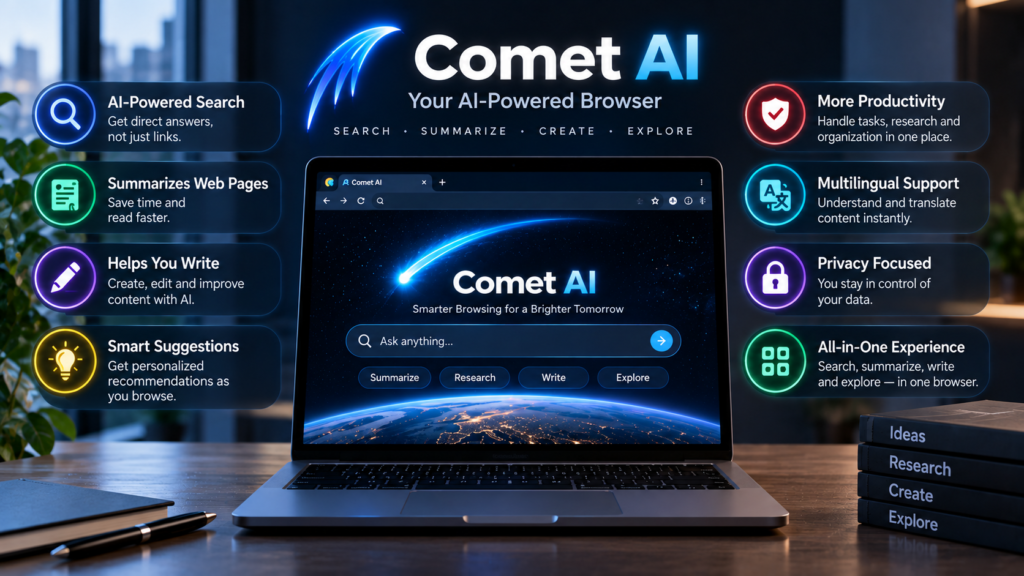
Comet AI includes several features designed to make everyday browsing more interactive. The central feature is its AI assistant, which can answer questions about webpages, summarize content, explain difficult information, and help with research. Comet also supports actions across websites, allowing users to delegate some repetitive browser tasks. Its capabilities cover areas such as shopping research, meetings, email workflows, job searches, and multi-step browsing. These capabilities make Comet different from a browser that only provides access to websites. The goal is to reduce unnecessary tab switching while keeping the user involved in the overall workflow.
Another useful feature is its ability to work with information already visible in the browser. Users can select webpage content and request actions such as summarizing, explaining, translating, checking, or improving text. Comet also supports voice-based interactions for supported browsing experiences. These features can be especially useful when reading long pages or working with several sources. However, availability and capabilities can change as the browser develops, so users should check the current product information before relying on a specific feature. This is particularly important for users who depend on certain tools for work or regular online activities.
Comet AI Features at a Glance
The following chart gives a simple overview of what Comet AI is designed to do. It is not a performance ranking. Instead, it shows the main areas where the browser can assist users. Features and availability may vary depending on the platform, account, and current version. Because AI browsers continue to evolve, some functions may be expanded, changed, or introduced later. The main idea is that Comet combines browsing with AI assistance, giving users more ways to interact with online information without leaving the browser environment.
| Area | What Comet AI Can Help With |
|---|---|
| Web Research | Finding, reading, comparing, and summarizing information |
| Page Understanding | Explaining, translating, summarizing, or checking selected text |
| Multiple Tabs | Connecting information from different open webpages |
| Writing | Drafting or improving text inside supported browser workflows |
| Shopping | Comparing products and researching purchasing information |
| Automation | Handling selected repetitive web-based tasks |
| Voice | Asking questions and navigating supported browser experiences |
| Privacy | Managing assistant access, browsing controls, and security settings |
This chart shows why Comet AI is often described as an AI-native browser rather than simply another chatbot. A traditional chatbot usually requires users to bring information into the conversation. Comet starts inside the browsing environment, so the assistant can work with the webpages and tabs involved in the task. That difference can save time during research and online work. Still, convenience does not remove the need for careful judgment. Users should verify prices, policies, financial information, medical information, legal information, and other important details directly from reliable sources before making decisions.
Comet AI for Research and Productivity
Research is one of the clearest use cases for Comet AI. Instead of opening many pages and manually collecting notes, users can ask the assistant to summarize articles, compare sources, identify differences, or explain difficult concepts. For example, a student researching renewable energy could open several sources and ask Comet to identify the main arguments from each one. A blogger could research a topic, organize important points, and then use the information to create an article outline. This approach can reduce repetitive work and make research easier to manage, especially when several webpages are involved at the same time.
For professionals, Comet AI can also help with repetitive browser-based work. A user might ask it to summarize a meeting page, organize information, compare online documents, or assist with routine tasks across websites. These capabilities can be useful when employees spend hours performing similar online actions. However, productivity should not mean blindly delegating everything. Before allowing an AI assistant to send messages, submit information, make purchases, or change data, check the instructions and review the result. A few seconds of human review can prevent errors from becoming expensive or difficult to reverse.
Comet AI for Everyday Browsing
For everyday users, Comet AI can make ordinary browsing more conversational. Suppose you are reading a complicated article and do not understand a particular section. Instead of opening another tab, copying the text, and explaining the context again, you can ask the assistant directly. It can help explain selected content in simpler language or provide a concise summary. This can make learning and browsing easier, especially for people who regularly encounter technical articles, lengthy reports, or unfamiliar subjects. Comet also keeps its assistant close to the browsing experience, which can reduce unnecessary switching between applications.
Comet AI can also be useful when comparing online information. For example, you might open several hotel pages and ask the assistant to compare important details. Similarly, shoppers can research different products without manually collecting every specification. Travelers can also organize information from multiple pages when planning trips. Even so, users should treat AI-generated comparisons as assistance rather than final authority. Prices, availability, product specifications, travel rules, and website policies can change quickly. Always confirm important details on the original website before completing a transaction or making an important decision based on information provided by an AI assistant.
Is Comet AI Safe and Private?
Privacy is an important consideration because an AI browser can interact with information inside your browsing environment. Comet AI includes privacy controls that let users manage what the assistant can access and where it can take actions. It also provides security-focused browser features and controls for managing assistant access. These controls are useful, but users should still understand what information an AI assistant needs to complete a requested task. Reading privacy settings is especially important before connecting accounts or allowing automated actions. Users should avoid giving unnecessary access to sensitive information whenever possible.
AI browsers may need to process relevant browsing information to complete certain requests. Therefore, users should be careful when using Comet AI with private documents, personal accounts, financial websites, or confidential work. Avoid giving an AI assistant more permissions than necessary. Before using automation for email, shopping, financial accounts, or private documents, review permissions carefully. Businesses may also need additional controls when employees use AI browsers for work. A thoughtful approach to privacy does not mean avoiding AI completely. Instead, it means understanding permissions, limiting unnecessary access, and reviewing important actions before allowing them to happen.
How to Use Comet AI Effectively
Getting useful results from Comet AI starts with writing clear instructions. Instead of saying, “Tell me about this,” provide a specific goal. For example, ask, “Summarize this article in five simple points and explain the main conclusion.” When comparing pages, mention exactly what matters, such as price, features, warranty, or specifications. Clear prompts help the assistant understand what information you want. It is also helpful to divide complex work into smaller stages. Ask Comet to research first, compare the findings second, and organize the final information third. This approach makes it easier to review each stage and identify possible mistakes.
Users should also keep human oversight throughout important workflows. Comet AI can save time, but AI systems can misunderstand instructions or encounter websites that behave unexpectedly. If an action involves money, private information, legal commitments, or important communication, review everything before confirming it. You can also use AI productivity tools and AI research techniques alongside Comet to build a broader workflow. For writers, a useful process is research, source checking, outlining, drafting, editing, and final verification. Comet can support several of these steps, but the user remains responsible for checking accuracy and deciding what should ultimately be published or submitted.
Comet AI Compared With a Traditional Browser
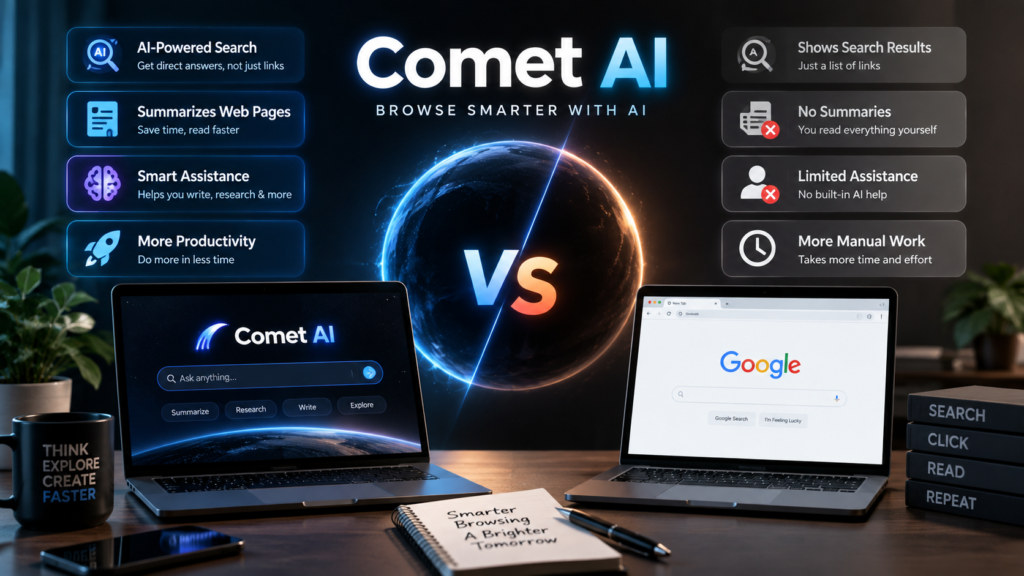
A traditional browser is primarily a tool for accessing websites, managing tabs, storing passwords, and navigating online services. Comet AI adds an intelligent assistant directly into that environment. This means users can ask questions about webpages, request summaries, compare information, and delegate selected browser actions without constantly moving information into another application. The biggest practical difference is therefore not simply the appearance of the browser. It is the way AI assistance becomes part of ordinary browsing. Users can interact with webpages through natural language instead of relying entirely on traditional browser controls.
However, Comet AI should not automatically replace every traditional browser workflow. Some people prefer manually controlling every website and opening separate applications for research, communication, and writing. Others may prefer an AI-assisted workflow because it reduces repetitive work. The right approach depends on the user’s needs, privacy preferences, and comfort with automation. Comet is most useful when the assistant can genuinely reduce repetitive steps or help organize information. For simple browsing, a conventional browser may remain perfectly adequate. Understanding this difference helps users choose technology based on their actual workflow instead of assuming that newer always means better.
Who Should Use Comet AI?
Comet AI can be useful for people who spend significant time researching, reading, comparing, or completing tasks online. Students can use it to understand difficult webpages and organize research. Writers can use it for topic research and page summaries. Professionals can use it to reduce repetitive browser work. Shoppers can use it to compare products, while travelers can use it to organize information from multiple websites. Businesses can also explore AI browser tools for controlled workplace workflows. The common benefit is not one specific feature. It is having AI assistance available inside the browsing environment while users complete everyday online tasks.
However, Comet AI may not be necessary for users who only perform simple online tasks. If you mainly visit a few familiar websites, read basic content, and rarely research complex topics, traditional browsing may already meet your needs. It is also important to consider how much control you want an AI assistant to have. Some users will appreciate automation, while others may prefer completing every step themselves. The best way to understand Comet is to test simple, low-risk tasks first. Learn how its assistant handles webpages, permissions, summaries, and actions before using it for sensitive or important work.
Frequently Asked Questions About Comet AI
What is Comet AI?
Comet AI is Perplexity’s AI-powered web browser. It combines normal browsing with an assistant that can answer questions, summarize webpages, compare information, and help complete selected online tasks. It is designed to make research and everyday web workflows more conversational and less dependent on switching between different applications.
Is Comet AI free?
Comet is available as an AI browser, while some advanced capabilities may depend on account or subscription arrangements. Availability can change as new features are introduced. Users should check the latest product information for current access options and plan details.
Can Comet AI summarize webpages?
Yes. Comet’s assistant can help users understand webpages, summarize content, explain selected text, and answer questions about information visible in the browser. It can also work with information across multiple tabs for tasks that require context from different sources.
Can Comet AI perform tasks for users?
Yes. Comet can perform certain browser-based actions when users allow it. Examples include research workflows, website navigation, and selected repetitive tasks. Users should review important actions before confirmation, especially when money, private information, or important accounts are involved.
Is Comet AI available on mobile?
Yes. Comet AI is available across major platforms, including iOS, Android, Mac, and Windows. Features can differ between platforms and may change with future updates. Users should check the current product information for platform-specific capabilities.
Conclusion
Comet AI represents a shift from using a browser only to access websites toward using a browser that can actively assist with online work. Its assistant can help users research information, understand webpages, compare tabs, write content, and complete selected browser tasks. These capabilities can make online work more convenient, particularly for people who regularly research, compare, or manage repetitive tasks. Still, users should treat AI assistance as a productivity tool rather than an unquestionable source of truth. Clear instructions, careful permissions, and human review remain important. If you regularly research, write, compare, or manage online tasks, exploring Comet AI can help you decide whether an AI-powered browsing workflow fits your needs.
[…] Candy AI Explained: Features, Uses, Benefits, and Safety Comet AI: The Complete Guide to AI-Powered Browsing Tavern AI: Complete Guide to AI Character Chats Nerovet AI Smart Dentistry: Pet Dental AI […]