

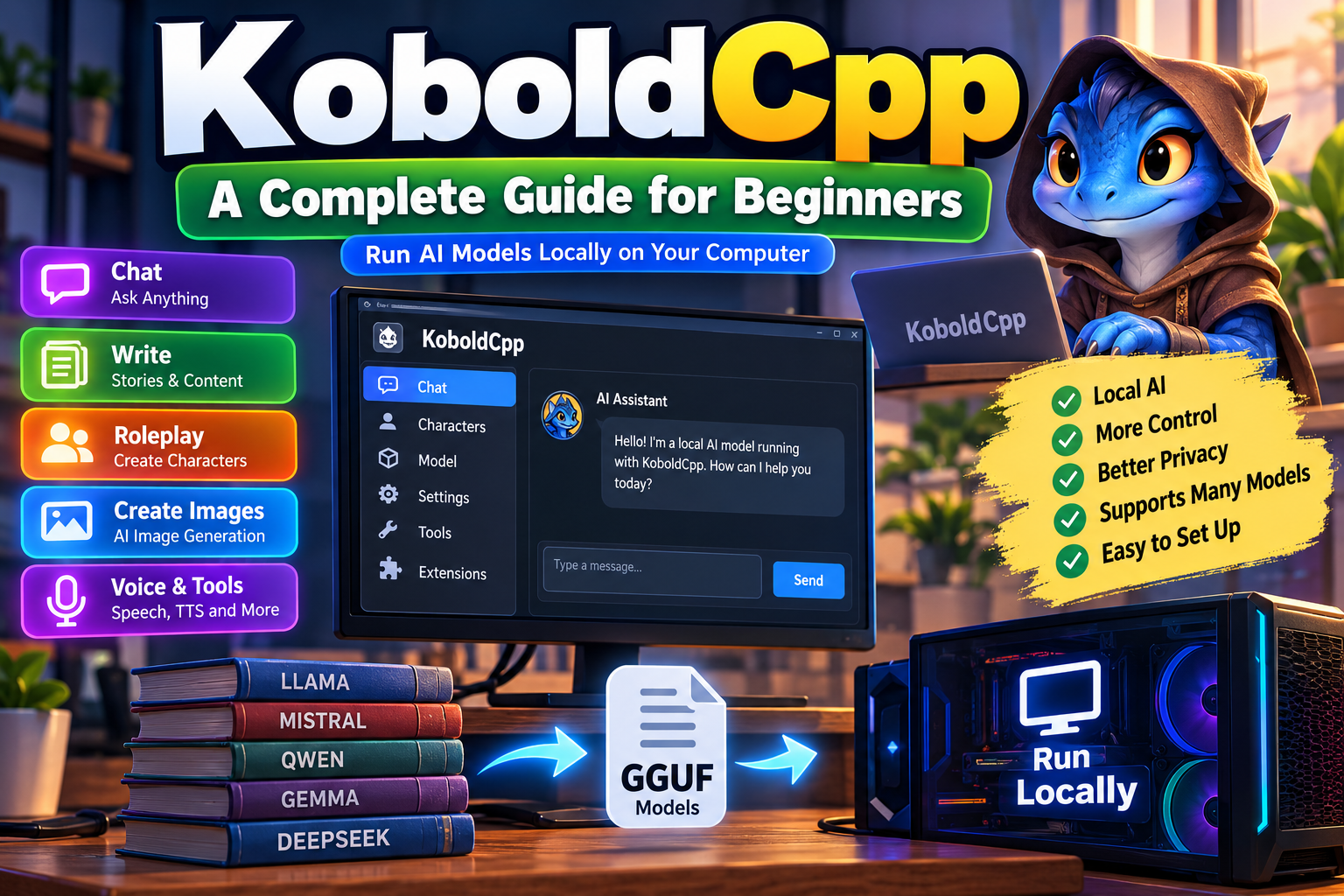
KoboldCpp: A Complete Guide for Beginners

KoboldCpp is software that lets you run AI language models directly on your computer. It is designed for people who want local AI without relying completely on cloud services. The program builds on llama.cpp and supports GGML and GGUF model formats. It also provides a simple interface through KoboldAI Lite. Because it comes as a self-contained package, getting started can be easier than setting up several separate AI tools. You can use it for chatting, writing, storytelling, roleplay, and other text-generation tasks. KoboldCpp can use either your CPU or GPU, depending on your hardware and selected settings.
One major reason people search for KoboldCpp is its local approach. Your selected model can run on your own computer instead of sending every prompt to an online AI service. This can provide greater control over models, settings, and privacy. However, local AI still depends heavily on your computer’s available memory, processor, graphics hardware, and model size. A smaller quantized model may work comfortably on modest hardware, while larger models can require substantial memory. Therefore, KoboldCpp is best understood as a flexible local AI platform rather than a single artificial intelligence model itself. The software provides the environment where compatible models can run.
How Does KoboldCpp Work?
KoboldCpp works as a local server and model runner for compatible AI models. You first obtain a supported model file, usually in GGUF format, and then load it through the program. The software handles model processing and provides an interface where you can interact with the model. It uses llama.cpp as part of its underlying technology, which helps make local model execution practical across different hardware configurations. Users can also adjust options such as GPU layers, context size, sampling settings, and other generation controls. These options allow beginners to start simply while giving experienced users more control over performance and output quality.
After the model loads, KoboldCpp can provide access through a local web interface. The program commonly runs a local server that you can open through your web browser. This means you can interact with the model without needing a separate online chatbot. KoboldCpp also provides API options for connecting compatible applications to locally running models. This makes the software useful beyond its built-in interface. For example, developers can connect compatible applications to a local model. That flexibility is one reason KoboldCpp appeals to both casual users and people experimenting with local AI development.
What Models Does KoboldCpp Support?
KoboldCpp primarily works with GGUF models, while also maintaining compatibility with many older GGML models. Supported model families can include Llama, Mistral, Mixtral, Qwen, Gemma, Phi, GPT-NeoX, GPT-J, Falcon, Yi, DeepSeek, and others. Exact support can change as the project develops, so users should check model compatibility before downloading a specific file. GGUF is especially important because it is widely used for local AI models and can store model data in different quantization levels. Choosing the right file can make a major difference in memory use, speed, and overall usability.
Model selection should match your computer rather than simply choosing the largest available model. A bigger model may provide stronger results, but it can also require much more memory and processing power. Quantized versions reduce model size and can make local operation easier on consumer hardware. For example, someone with limited RAM may prefer a smaller quantized model, while a powerful desktop can handle larger options. Before downloading anything, check the model’s recommended memory and supported architecture. Also confirm that the file is compatible with your intended software version. This simple preparation can prevent many loading errors and disappointing performance.
KoboldCpp Hardware Requirements
There is no single hardware requirement for KoboldCpp because the actual needs depend on the model you choose. Smaller models can run on CPUs with reasonable system memory, although generation may be slower. Larger models generally benefit from more RAM or VRAM and stronger processing hardware. GPU acceleration can improve performance when supported by your hardware and selected build. KoboldCpp supports CPU operation as well as full or partial GPU offloading, giving users several ways to balance speed and memory usage. This flexibility makes local AI possible on a wide range of systems, although expectations should remain realistic.
A useful rule is to think about model size first and hardware second. If a model requires more memory than your system can comfortably provide, loading may fail or become extremely slow. GPU layers can help move part of the workload onto a compatible graphics processor. Windows users may find NVIDIA builds convenient, while AMD users can explore compatible acceleration options. Modern Apple silicon Macs also have dedicated builds. Available versions can vary by operating system and hardware. Always check the current software release information before choosing a download. This approach helps prevent compatibility problems and gives you a better starting point.
Simple Hardware Comparison Chart
| Hardware setup | Suitable use | General expectation |
|---|---|---|
| CPU only | Smaller models | Lower speed |
| CPU + moderate RAM | Small to medium models | Practical for basic tasks |
| NVIDIA GPU | Medium to larger models | Faster generation |
| AMD GPU | Compatible local models | Depends on supported acceleration |
| Apple silicon | Supported local models | Good integrated performance |
This chart is only a general guide because model architecture, quantization, context length, and settings can change performance significantly.
How to Install KoboldCpp
Installing KoboldCpp can be relatively straightforward because available releases provide self-contained executables. On Windows, users can launch the appropriate executable directly. In many cases, you do not need to install a large collection of separate dependencies first. After opening the program, the launcher lets you select a model and configure basic settings. The interface provides options for choosing hardware acceleration, model settings, and other performance controls. Linux and macOS users can also find platform-specific versions. Always obtain the software from a trustworthy source rather than unknown download websites to reduce security risks.
A basic setup usually follows a simple sequence. First, download a current KoboldCpp version suitable for your operating system and hardware. Next, obtain a compatible GGUF model from a trustworthy model source. Open the program, select the model, and review the available settings. If you have a supported GPU, you can experiment with GPU layers to improve speed. Then start the server and open the local interface in your browser. Beginners should avoid changing many advanced settings immediately. Start with sensible defaults, confirm that the model works, and make adjustments gradually as you understand how each option affects performance.
What Can You Do With KoboldCpp?
KoboldCpp is useful for much more than basic chatbot conversations. Its interface can support features such as storytelling, roleplay, character interactions, memory, world information, author’s notes, editing tools, and saved sessions. These features make it particularly interesting for writers and users who enjoy interactive fiction. The software also supports different generation modes and can work with character cards. Because models run locally, users can experiment with prompts and settings without depending on a remote chatbot interface. The exact features available can vary between versions and model types, so checking current documentation is always helpful.
The platform has also expanded beyond traditional text generation. Depending on the current version and compatible models, users may find support for image generation, image editing, speech recognition, text-to-speech, multimodal vision, and tool calling. These capabilities mean KoboldCpp can act as a broader local AI environment rather than simply a text chatbot. However, every feature has its own model and hardware requirements. A computer capable of running a small language model may not handle demanding image or multimodal workloads equally well. Therefore, users should consider each feature separately and check its required models, memory usage, and supported hardware before planning a larger local AI setup.
KoboldCpp for Privacy and Local AI
One of the biggest attractions of KoboldCpp is local processing. When a compatible model is running on your computer, prompts can be processed locally rather than automatically being sent to a cloud AI provider. This can be useful for people who want greater control over their data and workflow. It can also help users work without an internet connection after the required software and model files are already available. However, local processing should not automatically be described as completely private or risk-free. Network settings, connected applications, and server exposure can affect privacy. Users should understand their own configuration before sharing sensitive information.
Running an AI model locally can also provide greater independence from changing online services. You are not necessarily tied to a subscription, usage limit, or provider-specific interface. You can select different models and experiment with various configurations on your own machine. However, local AI has its own costs. You must provide the hardware, storage, electricity, and maintenance required to run the system. Model files can also become large, especially when choosing higher-parameter models. Therefore, KoboldCpp is not automatically cheaper or better for everyone. It is most useful for people who value control, customization, offline access, or experimentation with local models.
KoboldCpp API and Advanced Features
KoboldCpp includes API support that allows other compatible applications to communicate with a locally running model. This makes the software useful for developers who want to connect local AI with existing tools. For example, an application could send prompts to a locally hosted model and receive generated responses. Different API modes can provide compatibility with various applications and workflows. Recent versions have also expanded integration options and additional AI capabilities. Users should check the documentation included with their current version because API behavior, endpoints, and supported features can change over time.
Advanced users can experiment with options such as GPU offloading, context settings, samplers, LoRAs, multimodal projectors, and server configuration. These controls can significantly affect both speed and output quality. However, changing too many settings at once makes troubleshooting harder. A better approach is to change one setting, test the result, and record what happened. This method helps users understand their system instead of relying on random configurations. If you are new to local AI, consider reading our internal guide on running AI models locally before exploring advanced options. You can also visit our GGUF models guide to understand quantization and model selection.
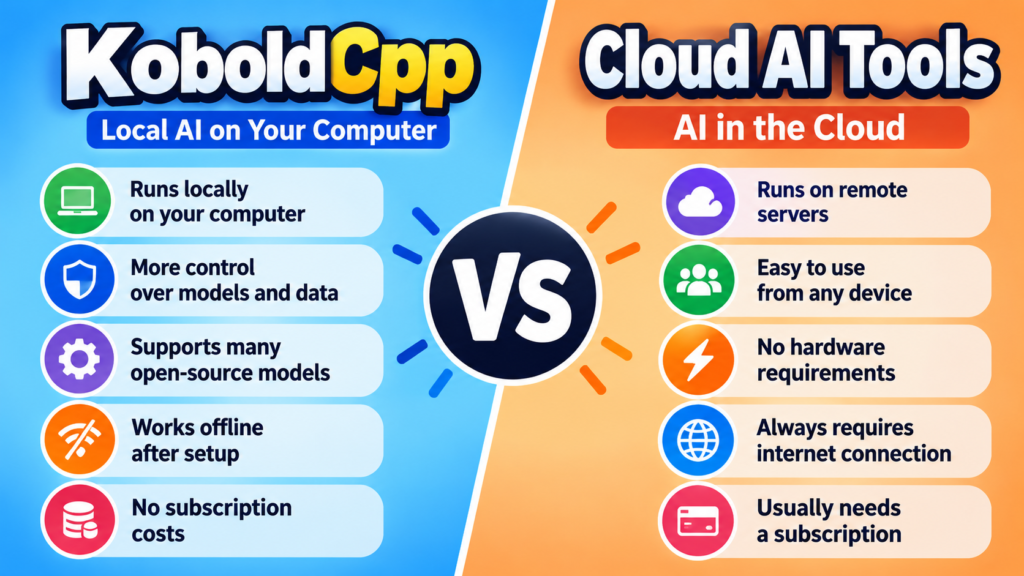
KoboldCpp vs Cloud AI Tools
KoboldCpp and cloud AI services solve different problems. Cloud services are usually easier because the provider manages servers, models, updates, and hardware. Users can often start chatting immediately from a browser. Local software provides more control because the user manages the model and computer. This can make local AI more customizable, but it also introduces extra responsibilities. You need suitable hardware, enough storage, compatible models, and basic troubleshooting skills. Neither approach is automatically superior. The better option depends on what matters most to you, including convenience, privacy, customization, performance, offline access, and the amount of technical control you want.
For simple everyday questions, a cloud chatbot may be the easiest choice. For experimentation, private local workflows, storytelling, or model testing, KoboldCpp can be attractive. It also gives users the opportunity to compare different models on the same computer. However, local performance depends heavily on hardware and model configuration. A powerful cloud service may still produce faster or more capable results than a modest home computer. The best approach is therefore practical rather than ideological. Try both approaches when possible, then choose the one that fits your budget, workflow, technical ability, and expectations.
Is KoboldCpp Worth Using?
KoboldCpp can be worth using if you want an approachable way to explore local AI. Its self-contained approach reduces some installation complexity, while its broad model support gives users many choices. The included interface is especially useful for people interested in storytelling, roleplay, character-based conversations, and creative writing. More experienced users can take advantage of APIs, GPU offloading, and advanced configuration. The project also continues to develop, with newer versions adding model support, interface improvements, and additional AI capabilities. That ongoing development makes it a useful option for people who want to keep experimenting with local AI technology.
Still, KoboldCpp is not a magic solution for every computer. Performance depends on the model, quantization, available memory, processor, graphics hardware, and chosen settings. Some users may need time to understand these variables before getting the results they want. It is also important to download software and models from trustworthy sources and keep your setup updated. If you are comfortable learning gradually, the software offers plenty of room to experiment. Beginners can start with a small GGUF model and default settings, while advanced users can explore APIs and specialized features as their knowledge grows.
Frequently Asked Questions About KoboldCpp
Is KoboldCpp free to use?
KoboldCpp is open-source software that can be obtained through its project releases. However, individual AI models can have their own licenses and usage conditions. Always check the license of a model before using it commercially or redistributing it. The software itself and the models you use should be considered separately.
Does KoboldCpp need a GPU?
No. KoboldCpp can run models using a CPU, although performance may be slower. It can also use compatible GPU acceleration when supported by your hardware and selected build. The best setup depends on your model size, system memory, graphics hardware, and desired generation speed.
What model format does KoboldCpp use?
KoboldCpp primarily supports GGUF models and also maintains compatibility with older GGML models. Modern local AI users will commonly encounter GGUF when downloading language models. Choosing the right quantization can reduce memory usage and make larger models easier to run.
Can KoboldCpp run on a Mac?
Yes. KoboldCpp supports modern Mac systems, including Apple silicon hardware through dedicated builds. Performance still depends on available memory and the size of the selected model. Users should choose the appropriate version for their Mac and check compatibility before installing additional models.
Is KoboldCpp good for beginners?
Yes, especially if you start with a smaller compatible model and default settings. Its relatively simple setup can make local AI easier to explore. Beginners should learn the basics first, then experiment with GPU layers, context settings, samplers, and APIs after understanding the fundamentals.
Conclusion
KoboldCpp is a flexible local AI platform for running compatible models on personal computers. It combines llama.cpp technology with a user-friendly interface, model support, APIs, and additional AI features. Its biggest strengths are flexibility, local processing, broad model compatibility, and relatively simple setup. However, performance depends strongly on your hardware and chosen model. Beginners should start with a smaller GGUF model, use sensible default settings, and make changes gradually. More advanced users can explore GPU offloading, APIs, multimodal models, and other tools. If you want more control over how local AI works, KoboldCpp is a practical platform worth exploring and testing for your own needs.
[…] Silly Tavern Guide: How It Works and What to Know KoboldCpp: A Complete Guide for Beginners Gening: A Simple Guide to Gening AI Who Owns Claude? The Company Behind Claude AI […]