


Tavern AI: Complete Guide to AI Character Chats

Tavern AI is a popular term for software that lets people create interactive conversations with AI characters. It is often used by people who enjoy roleplay, storytelling, creative writing, and character-based chats. Unlike a simple chatbot, Tavern AI focuses on giving users more control over characters, prompts, conversation settings, and model connections. The platform can be used with different language models, depending on the setup and provider. For beginners, the interface may seem technical at first, but the main idea is simple: choose or create a character, connect an AI model, and start chatting. This guide explains Tavern AI clearly, including features, setup, uses, benefits, and practical tips.
What Is Tavern AI?
Tavern AI is a user interface designed for chatting with AI characters. It became known among users who wanted more control than standard chatbot websites offered. Instead of providing one fixed conversation style, the software can support character cards, custom prompts, memory settings, and different model connections. This makes it useful for roleplay, creative writing, and interactive storytelling. Tavern AI itself is not necessarily the language model producing every response. In many setups, it works as a frontend that communicates with another AI service or locally running model. Understanding this difference helps beginners choose the right settings and avoid expecting the interface to work independently.
The main attraction of Tavern AI is flexibility. Users can create a character with a name, personality, background, greeting, and example dialogue. Those details help guide how the character responds during a conversation. Users may also adjust prompts or connect different AI backends when supported by their setup. This means the experience can vary greatly from one installation to another. Some people use Tavern AI for fictional roleplay, while others use it for brainstorming stories or testing character ideas. Because the software can involve technical configuration, beginners should start with simple settings before changing advanced options or connecting unfamiliar services.
How Does Tavern AI Work?
Tavern AI generally works as a conversation interface between the user and an AI model. When you send a message, the interface prepares conversation information, character instructions, and other context. That information is then sent to the selected model through the configured connection. The model generates a response, and the interface displays it as part of the conversation. This setup means response quality depends on several factors, including the chosen model, prompt design, context length, and character information. If responses feel repetitive or inconsistent, changing the model or improving the character description may help more than changing the interface itself.
A simple Tavern AI workflow usually has several connected parts. First, you choose or create a character. Next, you select an available model connection and configure basic generation settings. Then, you begin a conversation and provide feedback through your messages. The system uses earlier context to maintain continuity, although memory can have limits. Longer conversations may require careful context management because models cannot always remember everything indefinitely. For this reason, users should keep character instructions clear and focused. A well-written character profile can improve consistency, while excessive instructions may confuse the model and produce less natural replies. This keeps setup easier to understand.
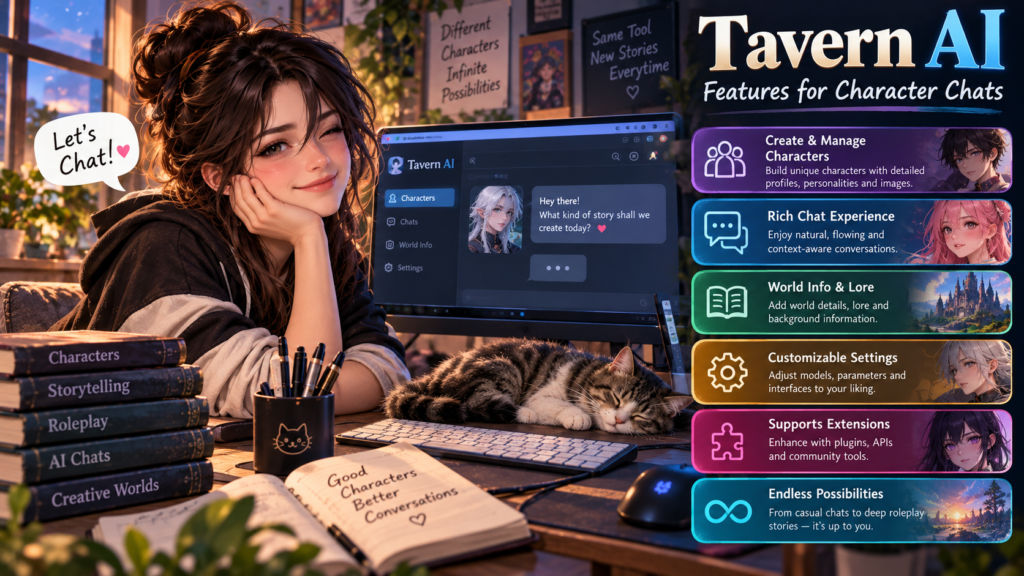
Tavern AI Features for Character Chats
One important feature associated with Tavern AI is character customization. A character can have a defined personality, background, speaking style, goals, and relationship with the user. Character cards can package these details so they are easier to reuse or share. Users can also create different characters for different stories instead of relying on one general assistant. Conversation history is another useful part because it provides context for ongoing scenes. Depending on the version and connected model, users may have additional controls for prompts, sampling, context, and generation. These options give experienced users more control over how responses are produced during interactive conversations.
Another useful feature is the ability to shape conversations through prompts and examples. A character can be given sample dialogue that demonstrates its preferred tone, vocabulary, or behavior. This can be especially helpful when creating fictional personalities with distinct voices. Some setups also provide tools for managing context, inserting notes, or controlling generation behavior. However, more settings do not automatically mean better results. Beginners can usually get good results by focusing on a clear character description and a strong opening message. Advanced controls are best changed gradually, so users can understand which setting affects the conversation before adjusting several options at once.
Using Tavern AI for Roleplay and Storytelling
Tavern AI can be useful for interactive roleplay because conversations can follow a fictional scenario instead of a simple question-and-answer format. For example, a user might create a detective character and begin a mystery set in a small town. The character can respond to clues, questions, and events as the story develops. Writers can also use character chats to explore dialogue before writing a larger scene. The experience becomes more engaging when the character has clear motivations and limitations. Instead of telling the model everything at once, users can introduce details naturally through the conversation and let the scene develop step by step.
For storytelling, good preparation often matters more than complicated settings. Start with a clear premise, define the main character, and explain the desired tone. You can then establish the location, important relationships, and current situation. In Tavern AI, these details can help the connected model understand the role it should play. If a story becomes inconsistent, restate important facts rather than adding dozens of new instructions. It can also help to keep separate character profiles for different projects. This prevents details from one story from influencing another and makes it easier to return to a favorite scenario later without rebuilding everything from scratch.
Tavern AI Setup: What Beginners Should Know
Setting up Tavern AI can vary because different versions and forks may support different connections. A beginner should first identify the exact software version and the AI service or model they want to use. Some setups may require a local model, while others can connect to compatible external services. Before installing anything, check the project’s current documentation and requirements. You may need a supported operating system, runtime components, or model files depending on the chosen configuration. Taking these steps first can prevent common setup problems, especially when a guide written for an older version no longer matches the current interface.
After installation, begin with the simplest working configuration. Create one basic character, connect a supported model, and test a short conversation. If the connection fails, check the endpoint, credentials, model availability, and software version before changing advanced settings. Avoid copying random configuration values from unrelated tutorials because they may be outdated or designed for different services. Users should also protect API keys and other private credentials. Never place secret keys in public screenshots, shared character files, or public posts. A careful setup process makes Tavern AI easier to troubleshoot and gives beginners a clearer understanding of how each component works.
Benefits and Limitations of Tavern AI
A major benefit of Tavern AI is customization. Users can control character information, conversation structure, prompts, and, in supported setups, model selection. This flexibility can make the software attractive to people who want more control over roleplay than a standard chatbot provides. It can also support creative experimentation because users can compare different characters or models within similar scenarios. Another benefit is that users can build experiences around their own stories rather than following a fixed assistant format. For technical users, configurable settings provide additional room for experimentation. These strengths make the software interesting for writers, hobbyists, and people exploring AI character systems.
However, Tavern AI also has limitations that beginners should understand. Setup can be more complicated than using a hosted chatbot because the interface may depend on external services or local models. Response quality is also not guaranteed by the interface itself. It depends heavily on the connected model, context, prompts, and configuration. Some services may charge for usage, while local models can require suitable computer hardware. Privacy also depends on where conversations are processed and stored. Users should read the privacy terms of connected services and avoid sharing sensitive personal information. Knowing these limits helps people choose a setup that matches their technical skills and expectations.
Tavern AI Quick Comparison Chart
A quick chart can make the Tavern AI experience easier to understand. The interface focuses on character conversations and customization, while the connected model handles response generation. Setup difficulty depends on the model connection, technical requirements, and software version. Privacy also depends on where conversations are processed. These differences matter when choosing a setup because convenience, control, cost, and privacy can vary. The chart below summarizes the main areas beginners should consider before starting. It is not a performance ranking. Instead, it provides a simple framework for understanding what each part of a character-chat setup does and what users may need to manage.
The most important point is that Tavern AI does not automatically determine every part of the final experience. The connected model, character profile, context, and generation settings all influence responses. A local setup may provide different privacy and hardware requirements than an external service. A hosted connection may be easier but can introduce provider-specific terms or costs. Use the chart as a starting point, then check the current documentation for your chosen version and model. This approach helps beginners avoid outdated tutorials and makes it easier to understand which component should be changed when something does not work as expected.
| Area | What It Means | Beginner Consideration |
|---|---|---|
| Character | Defines personality and background | Keep details clear |
| AI Model | Generates responses | Choose a compatible model |
| Prompts | Guide behavior and tone | Avoid unnecessary instructions |
| Context | Maintains conversation information | Long chats may have limits |
| Settings | Control response generation | Change one option at a time |
| Privacy | Depends on processing method | Avoid sensitive information |
| Cost | Depends on the selected service | Check provider terms |
Tavern AI vs Traditional AI Chatbots
Traditional AI chatbots usually provide a ready-made experience where the company manages the model, interface, and backend. Tavern AI-style setups can offer a different approach by separating the conversation interface from the model that generates responses. This can give users more flexibility, but it also introduces additional configuration. A hosted chatbot may be easier for casual questions, quick writing tasks, or everyday assistance. A character-focused interface may be more suitable for users who want detailed fictional personalities and roleplay controls. The right option depends on the user’s purpose, technical comfort, privacy preferences, and willingness to manage different parts of the AI setup.
The biggest practical difference is control versus convenience. A traditional chatbot often works immediately after account creation, with fewer technical choices. Tavern AI can provide more customization when paired with compatible models and settings, but users may need to manage connections, prompts, and model access themselves. For example, a writer who wants several distinct fictional characters may value reusable character profiles. Someone who only wants quick answers may prefer a simpler interface. Neither approach is automatically suitable for every task. Comparing the features you actually need is more useful than choosing software based only on popularity or the number of available settings.
Safety, Privacy, and Responsible Use
Privacy deserves attention whenever an AI character platform connects to an external model provider. Messages may be processed by the selected service, depending on how the setup works. Before using Tavern AI with a third-party provider, review that provider’s privacy policy and data practices. Avoid entering passwords, financial details, private documents, or other sensitive information into character conversations. API credentials should also be treated like passwords and stored securely. If you run a model locally, the privacy situation may differ because processing can happen on your own computer. Even then, backups, logs, extensions, and shared files can create additional privacy considerations.
Responsible use also matters when creating fictional characters and scenarios. Users should understand the rules of the model provider they connect to, because those rules may affect what the system can generate. Character files can also contain instructions or content that users did not create themselves. Treat downloaded files and configuration packages carefully, especially when they come from unknown sources. Keep software updated when possible, and use trusted project documentation for installation guidance. These habits reduce technical and privacy risks. A good AI experience is not only about realistic responses; it also depends on secure configuration, sensible data handling, and informed use.

Tips for Better Tavern AI Conversations
Better conversations usually begin with better character information. Write descriptions that explain who the character is, how they speak, what they want, and what situation they are currently in. Avoid filling the profile with unrelated facts because important details can become harder for the model to prioritize. A strong opening message can also establish the setting and give the conversation a clear direction. During roleplay, provide specific information when something important changes. If the model forgets a major detail, gently restate it instead of repeatedly changing multiple settings. These simple habits can make character conversations feel more consistent and easier to manage.
Users can also improve results by experimenting methodically. Change one setting at a time and compare several responses before deciding whether it helps. If a model produces overly long answers, adjust the generation settings or make the character instructions more concise. If the character loses personality, strengthen the description and add a few useful dialogue examples. Keeping conversations organized can help too. Create separate characters for separate projects and save important prompts outside the application when possible. Tavern AI can support creative experimentation, but the quality of the final experience still depends on the model, instructions, context, and user’s ability to guide the conversation.
Frequently Asked Questions
What is Tavern AI used for?
Tavern AI is mainly used for character-based conversations, roleplay, and interactive storytelling. Users can create fictional characters, define personalities, and guide conversations through prompts. It can also help writers test dialogue, explore story ideas, and experiment with different AI models in a more customizable environment.
Is Tavern AI an AI model?
No. Tavern AI is generally a user interface rather than the language model itself. It can connect to compatible AI models or services that generate responses. The exact setup depends on the version, backend, and configuration. This separation gives users more flexibility but can also make setup more technical.
Is Tavern AI free to use?
The interface or software may be available without a direct usage fee, but connected AI services can have their own costs. Some models are also available locally, while others require paid access. Always check the current terms of the model provider you choose before starting regular use.
Can beginners use Tavern AI?
Yes, beginners can use Tavern AI, but the setup may require more steps than a typical hosted chatbot. Start with one character and a simple model connection. Follow the current documentation, protect your credentials, and change advanced settings only after the basic conversation works properly.
How can I improve Tavern AI responses?
Use clear character descriptions, strong opening messages, and focused instructions. Keep important details consistent and avoid unnecessary profile information. You can also test different compatible models or generation settings. Change one setting at a time so you can identify what actually improves the conversation.
Conclusion
Tavern AI gives users a flexible way to explore AI character conversations, roleplay, and storytelling. Its main strength is customization, especially when users can choose characters, prompts, models, and conversation settings. However, that flexibility can also make setup more technical than ordinary chatbot platforms. Beginners should start with a simple configuration, protect private credentials, and learn how their selected model handles data. Better results usually come from clear character profiles, focused instructions, and consistent context. If you want to explore more AI platforms, our AI Tools Guide can help you compare different options. For creative use, Tavern AI can be a useful space for experimentation.
[…] Comet AI: The Complete Guide to AI-Powered Browsing Tavern AI: Complete Guide to AI Character Chats Nerovet AI Smart Dentistry: Pet Dental AI Guide Character Hub: Create, Share & […]