


Perplexity Browser: Features, Download, and Latest Updates

Perplexity Browser is an AI-powered web browser designed to make online research easier. Known as Comet, it combines normal browsing with an AI assistant that can answer questions, understand webpages, and help complete tasks. Unlike a traditional browser, it lets users interact with information through natural language. You can ask about an article, compare information across tabs, or request help with a website. Comet is available for Mac, Windows, iOS, and Android. In this guide, you will learn how Perplexity Browser works, its main features, supported devices, pricing, and important updates available in September 2026.
What Is Perplexity Browser?
Perplexity Browser, officially called Comet, is a browser developed by Perplexity. It uses artificial intelligence to help people search, read, and work online. The browser is designed to understand the information displayed on your screen and respond to questions about it. This makes research more conversational than traditional browsing. Instead of opening several search results and reading each page separately, you can ask the AI assistant to explain the information you need. Comet also supports tasks that involve navigating websites and working across multiple tabs. Its main purpose is to reduce repeated browsing and make online work more convenient.
The browser is part of Perplexity’s wider AI product ecosystem. Perplexity offers an answer engine, advanced research tools, and Computer, an AI system for completing multi-step work. Comet focuses specifically on browsing and assistant features within a browser window. This distinction matters because not every Perplexity feature is available in every product. For example, Computer can handle broader workflows, while Comet helps users interact with websites and information. The company also continues to develop AI browsing features for other platforms, including Samsung devices. This makes Comet part of a larger move toward AI-assisted web use.
Perplexity Browser Features
One of the main features of Perplexity Browser is its AI assistant. Users can ask questions about webpages, request summaries, and explore information without leaving their browsing session. The assistant is designed to understand the context of what you are viewing. For example, while reading a technology article, you could ask for a simple explanation of a technical term. You could also ask the assistant to compare two articles or identify important points. These features can save time when researching unfamiliar subjects. However, users should still check original sources when information is important.
Comet also supports agentic browsing, which means the assistant can help perform actions across websites. Perplexity describes the browser as capable of navigating sites and helping with tasks through natural-language instructions. This may include finding information, interacting with webpages, or assisting with work that involves several steps. The exact actions available can depend on the website, account permissions, and product access. Users should review important actions before allowing them to continue. AI assistance can reduce repetitive work, but it does not remove the need for human review, especially when purchases, forms, or account changes are involved.
How Perplexity Browser Works
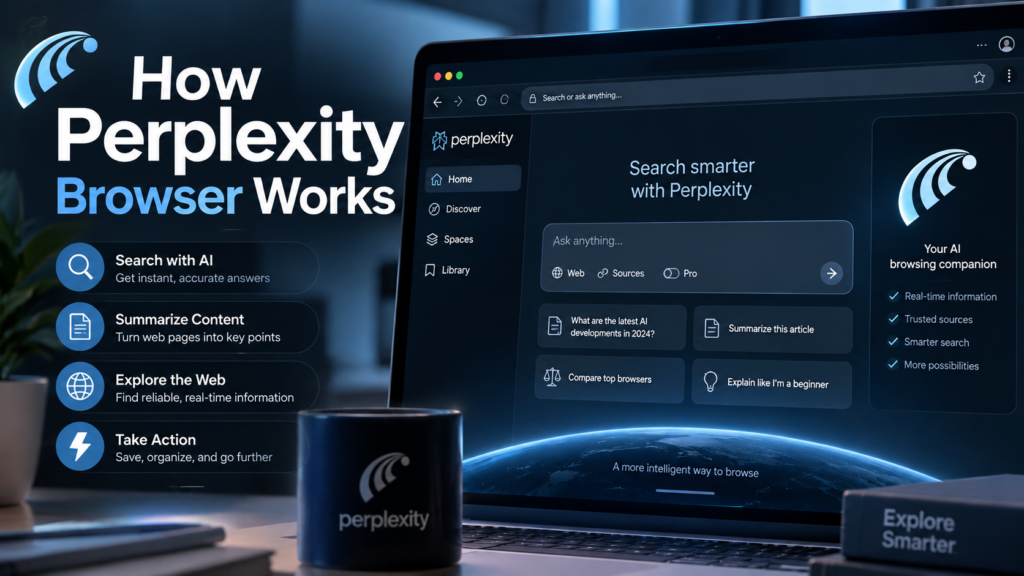
Perplexity Browser works by combining a web browser with an AI assistant. You can visit websites normally, then ask the assistant questions about the information on your screen. The browser is designed to provide context-aware help rather than treating every question as a separate search. For example, if you are comparing two products, you can ask the assistant to explain their differences. If you are reading a long article, you can request a shorter explanation. The usefulness of each answer depends on the information available and the assistant’s ability to interpret the page correctly.
Perplexity’s wider search system is built around answers supported by sources. Its Pro Search feature conducts deeper research and combines information from multiple sources. Comet adds browser-based assistance to this research experience. These tools are related, but they are not identical. A browser assistant may help you understand a webpage, while Pro Search is designed for more detailed research questions. When using either tool, check citations and original sources. This is especially important for medical, financial, legal, or other high-stakes information, where an AI-generated answer should not replace professional advice.
Perplexity Browser Download and Supported Devices
Perplexity Browser is available for several major platforms. The official Comet website lists Mac, Windows, iOS, and Android as supported platforms. This gives users different ways to access AI-assisted browsing, depending on their device. The desktop versions are useful for research, writing, and working across multiple tabs. Mobile versions are designed for people who want browsing assistance while using a phone. Availability can change as the product develops, so users should check the official download page before installing. Always download software from the official Perplexity website or a trusted app store.
The installation process is similar to other modern browsers. Visit the official Comet page, choose your operating system, and follow the installation instructions. After installing, you may need to sign in to your Perplexity account. Some features require a paid subscription, while basic Perplexity search remains available through the free plan. If you are unsure which version to use, start with the platform you use most often. You can also read our AI browser guide to understand how AI-assisted browsing differs from traditional browsers.
Perplexity Browser Pricing and Plans
Perplexity offers several subscription plans, including Free, Pro, Max, and business plans. The free plan provides access to basic searches and limited advanced features. Paid plans offer higher usage limits and access to additional AI capabilities. According to Perplexity’s September 2, 2026 plan information, Browser Agent queries are not included in the Free plan. Pro, Education Pro, Max, Enterprise Pro, and Enterprise Max include different levels of access to Browser Agent features. This means the browser itself may be available across platforms, but some assistant capabilities depend on your subscription.
The following chart summarizes the latest published Browser Agent access information. These figures describe plan limits, not a guarantee that every user will receive the same experience. Perplexity states that individual paid-plan limits can depend on average usage, while enterprise plans have extended or higher limits. Subscription features may also change over time. Before paying, check the official plan comparison and confirm whether the features you need are included. You can also explore our Perplexity Pro guide for more information about advanced search and research tools.
Perplexity Browser Plan Comparison Chart
| Plan | Browser Agent access | Other notable features |
|---|---|---|
| Free | Not included | Basic searches and limited advanced features |
| Pro | Included with monthly limits | Advanced models, image generation, and higher limits |
| Education Pro | Included with monthly limits | Pro features for verified students |
| Max | Included with advanced monthly limits | Highest individual access and Max Assistant |
| Enterprise Pro | Extended access | Business controls and higher limits |
| Enterprise Max | Highest enterprise access | Higher limits and enterprise features |
Source: Perplexity’s official plan comparison, updated September 2, 2026.
Latest Perplexity Browser Updates in 2026
Perplexity has continued expanding its browser and AI assistant products throughout 2026. The company’s official changelog and blog show several important developments. In March, Comet became available on iOS, expanding the browser beyond desktop platforms. In May, Perplexity introduced Computer integrations with Microsoft 365 applications. Later updates added more advanced Computer capabilities, including research, memory, and workflow tools. These developments show that Perplexity is building a broader system for AI-assisted work rather than focusing only on search.
The latest updates in September 2026 include local-first and hybrid computing features for Perplexity Computer. The company announced Portable Computer for Windows on September 14, while its blog also reported expanded Windows availability through HP. These announcements concern Computer and related AI workflows, not necessarily new features inside Comet itself. For browser users, the important point is that Perplexity continues to develop connected AI tools across devices. The official changelog remains the best place to check which updates apply directly to the browser.
Perplexity Browser vs Traditional Browsers
Traditional browsers are designed primarily for opening websites, searching the internet, and displaying online content. Perplexity Browser adds an AI assistant that can help users understand and interact with that content. This creates a different browsing experience. Instead of searching for every answer separately, you can ask questions about the page you are already viewing. The assistant may also help with tasks that involve multiple websites. However, traditional browsers remain useful for users who prefer direct control and simple browsing. The choice depends on whether AI assistance is useful for your daily activities.
Perplexity Browser can be especially useful for research, content creation, and information-heavy work. For example, a writer might use it to summarize an article, compare sources, or explore a topic before drafting a post. A student could use it to understand difficult information in simpler language. A business user might use it to gather details from several websites. Still, AI-generated information can contain mistakes. It is important to review sources, confirm important facts, and avoid sharing sensitive information unnecessarily. AI tools work best when users remain actively involved in the process.
Benefits and Limitations of Perplexity Browser
Perplexity Browser offers several practical benefits for people who spend much of their day online. Its AI assistant can help explain webpages, answer questions, and reduce the need to switch between different tools. This may be useful when researching a topic, comparing information, or completing repetitive browser tasks. The browser also brings AI assistance into the browsing environment rather than requiring users to open a separate chat window. However, the value depends on the quality of the assistant’s answers and the types of tasks a user performs.
There are also limitations to consider. Some advanced features require paid access, and the available tools may differ by platform or subscription. AI assistants can misunderstand webpages, make errors, or perform actions that need human review. Privacy is another important consideration, particularly when browsing logged-in websites or handling personal information. Users should understand what permissions they grant and avoid allowing unnecessary access. Before relying on Comet for important work, test it with simple tasks and check the results. This approach helps users understand both its benefits and its limitations.
Is Perplexity Browser Worth Trying?
Perplexity Browser may be useful for people who want AI assistance while browsing the web. It is designed for users who frequently research topics, read articles, compare information, or manage online tasks. The browser’s main advantage is the ability to ask questions about webpages and receive help without leaving the browsing session. Users who prefer simple browsing may not need these features. The best way to decide is to try the available version on your device and compare it with your current browser. Start with basic tasks before using it for more complex workflows.
Before choosing a browser, consider your daily needs. If you mainly visit websites, watch videos, and use email, a traditional browser may be sufficient. If you spend time researching, writing, or comparing information, an AI assistant could be useful. Also consider subscription costs, privacy settings, and the features available on your device. Perplexity’s plans and product features change regularly, so check the latest official information before making a decision. You can also read our best AI tools for productivity guide to explore other tools that support online work.
Frequently Asked Questions
What is Perplexity Browser?
Perplexity Browser is an AI-powered browser called Comet. It combines normal web browsing with an AI assistant that can answer questions, explain webpages, and help with online tasks. It is designed to make research and browsing more convenient.
Is Perplexity Browser free?
Comet is available for download, but some advanced assistant features require a paid Perplexity plan. Perplexity’s free plan provides basic search access, while Browser Agent features are included in selected paid plans.
Which devices support Perplexity Browser?
The official Comet website lists Mac, Windows, iOS, and Android. Users should check the official download page for the latest platform availability and installation instructions.
Can Perplexity Browser summarize webpages?
Yes. Comet is designed to understand webpages and help users summarize information. You can ask questions about the content you are reading and request simpler explanations.
Is Perplexity Browser the same as Perplexity Computer?
No. Comet is Perplexity’s AI browser, while Computer is a broader AI system for completing multi-step tasks. The products are connected but serve different purposes.
Conclusion
Perplexity Browser, also known as Comet, brings AI assistance into everyday web browsing. It can help users understand webpages, research topics, and complete certain online tasks through natural language. The browser is available on Mac, Windows, iOS, and Android, while advanced Browser Agent access depends on the selected subscription plan. Recent Perplexity updates show continued development across browsing, research, and AI workflow tools. If you want to explore AI-powered browsing, visit the official Comet website and try the version available for your device. Always review important answers and protect sensitive information while using AI assistants.
[…] Vidqu AI: Features, Pricing, and How It Works Perplexity Browser: Features, Download, and Latest Updates Anthropic vs OpenAI: Which AI Is Right for You? Machine Learning: A Simple Guide for […]